

Guilds Forever
In-game verified.
The game vouches for your character and your guild.
72 players verified · 15 guilds verified
 In-game verifiedseen today
Halvard Stone
FreeTue, Thu and Sun, 20:00–23:00 GMT+1
guildsforever.comThree steps.
1Pick which of your Battle.net characters is you.
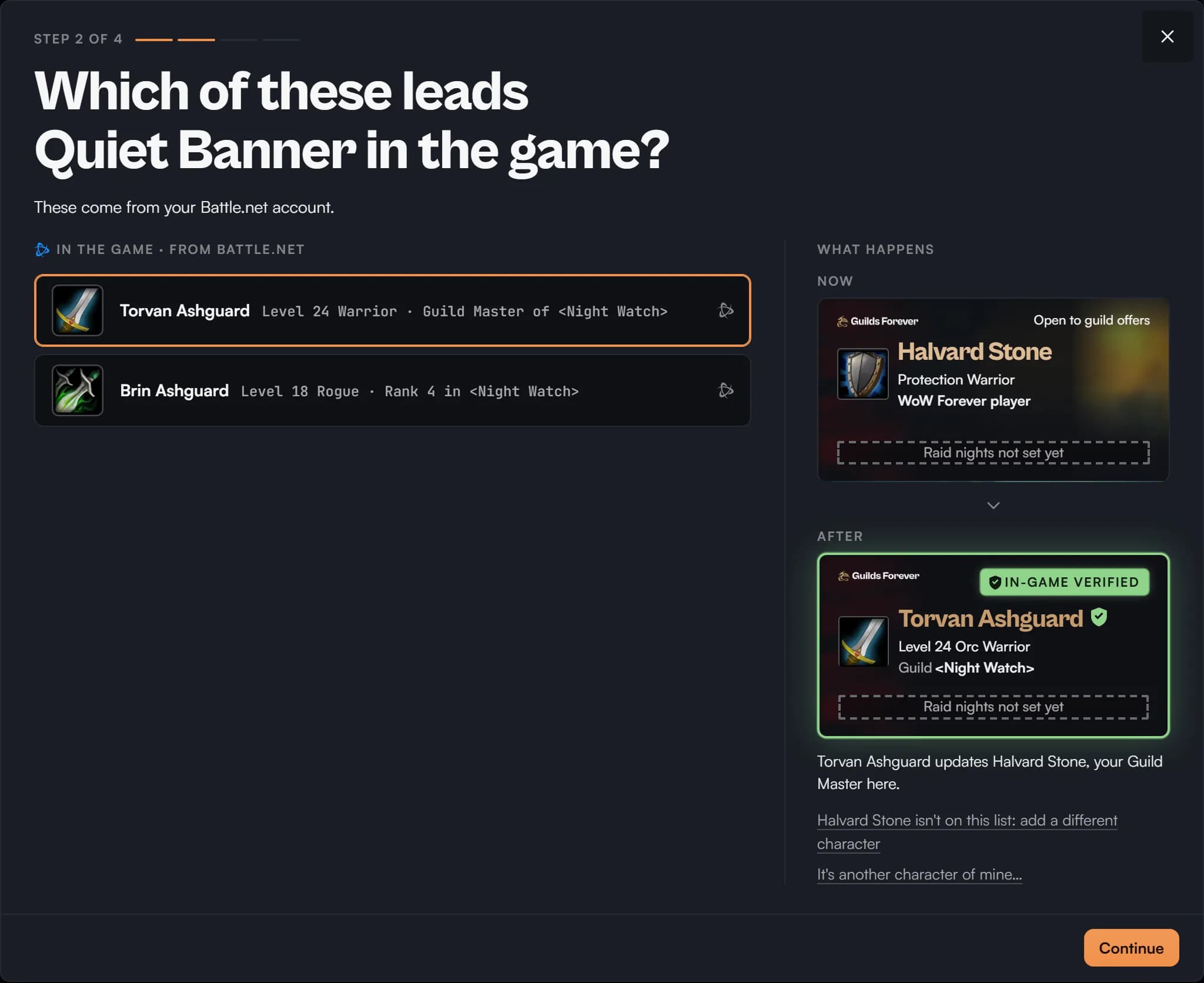
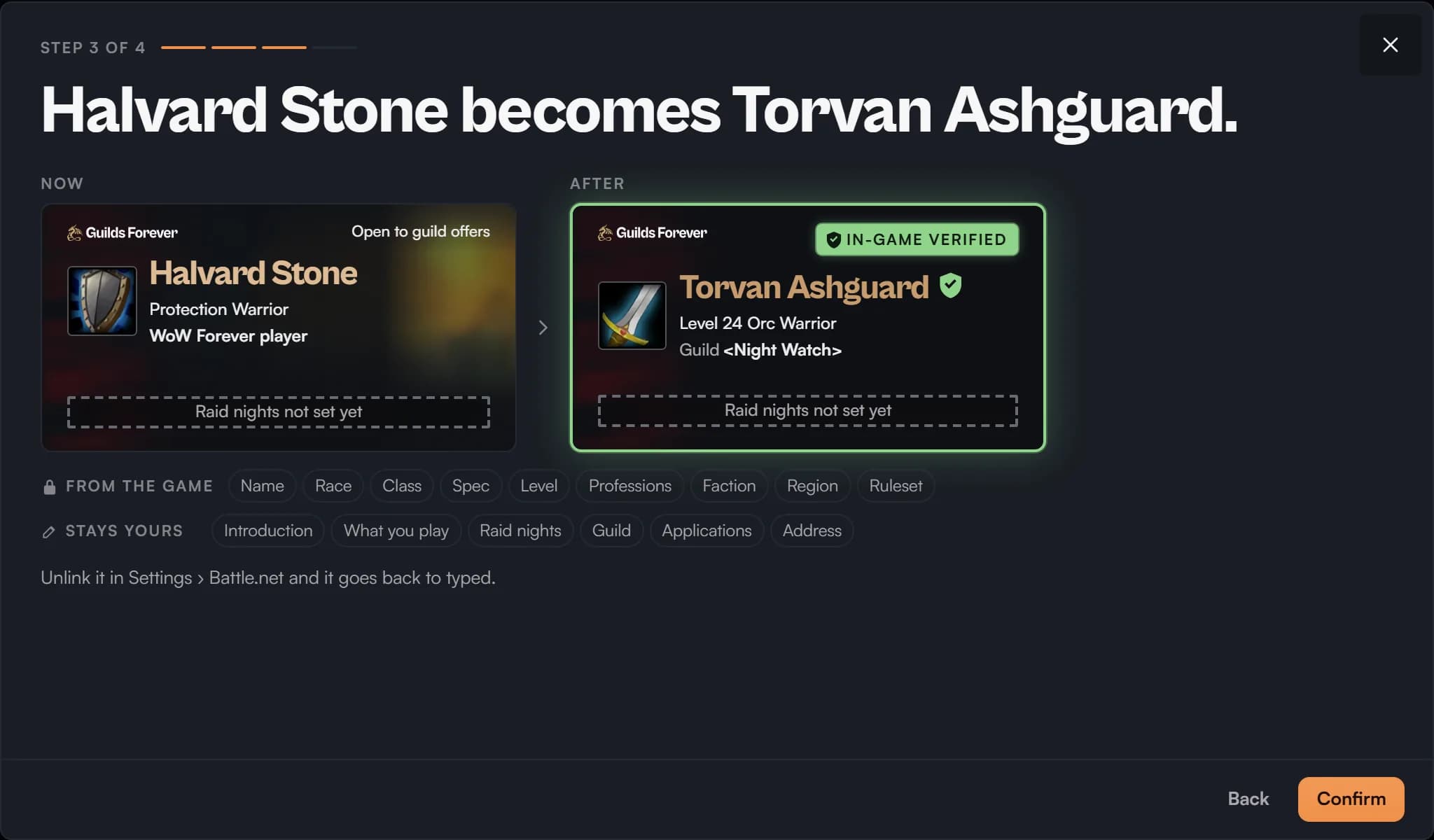
2See what changes before you confirm.
3Your card wears the mark, ready to share.
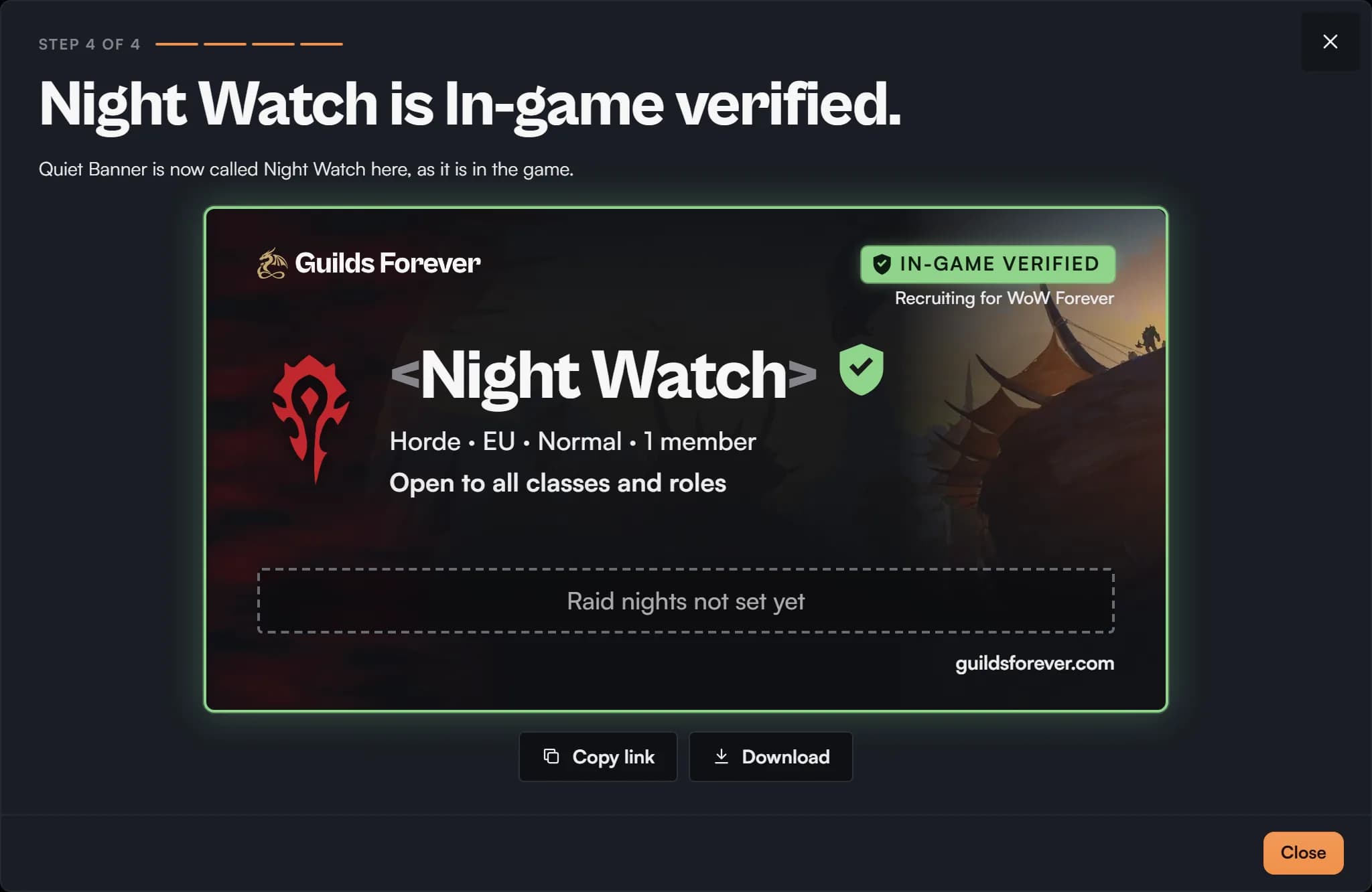
What changes.
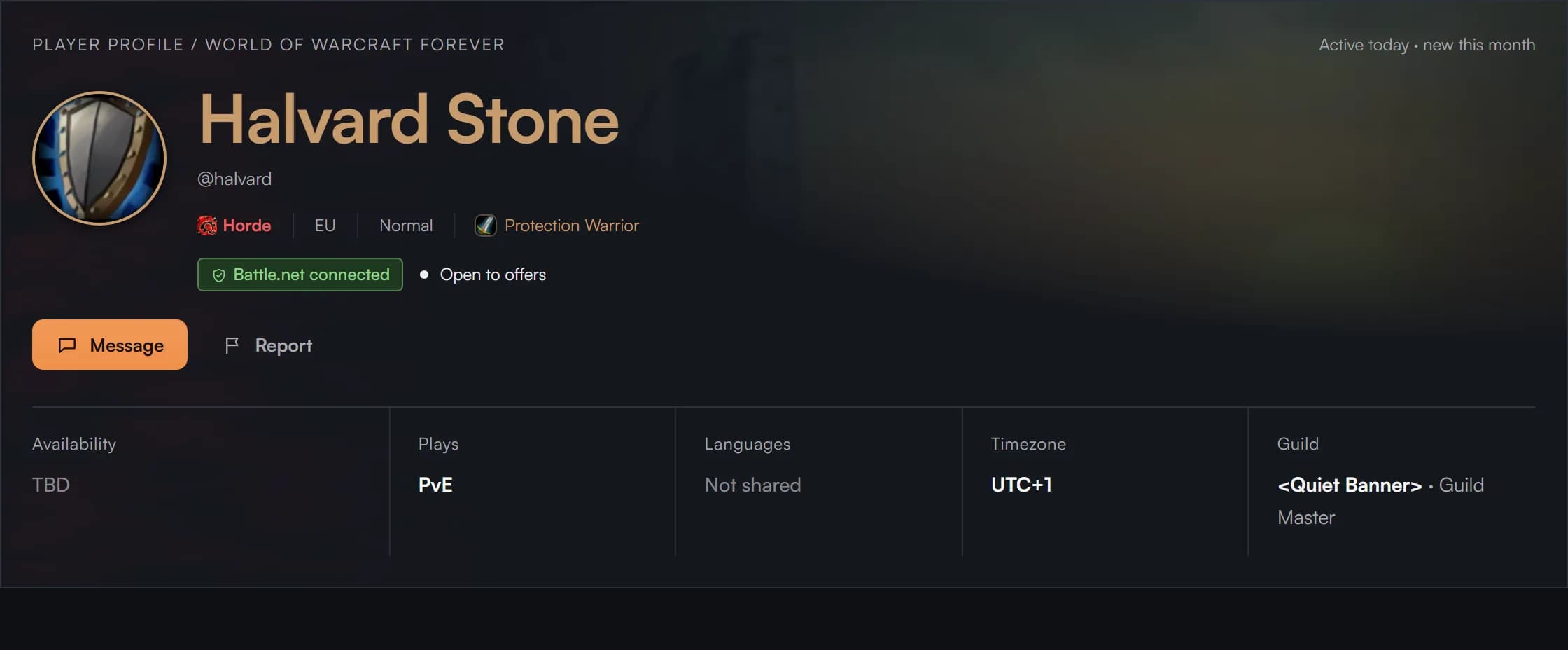
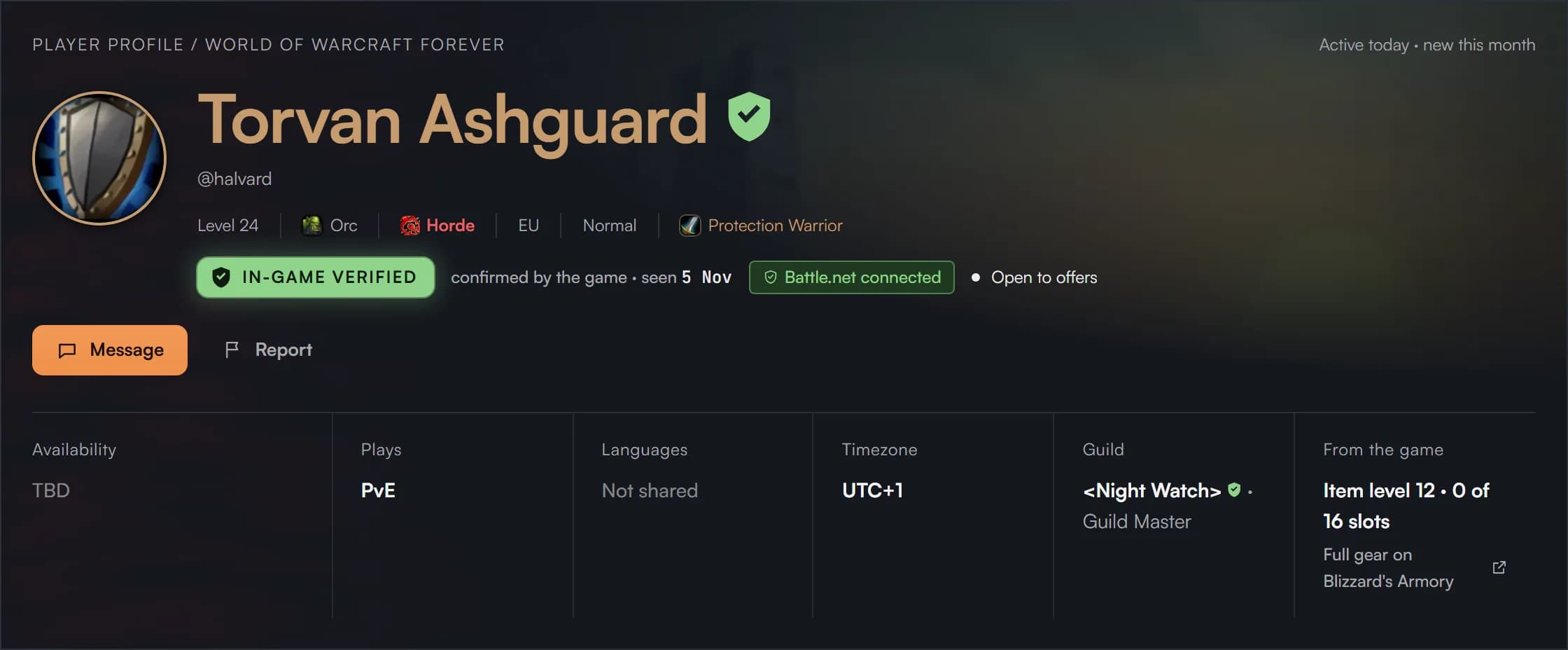
Your level, race and class come from the game, and your name wears the mark.
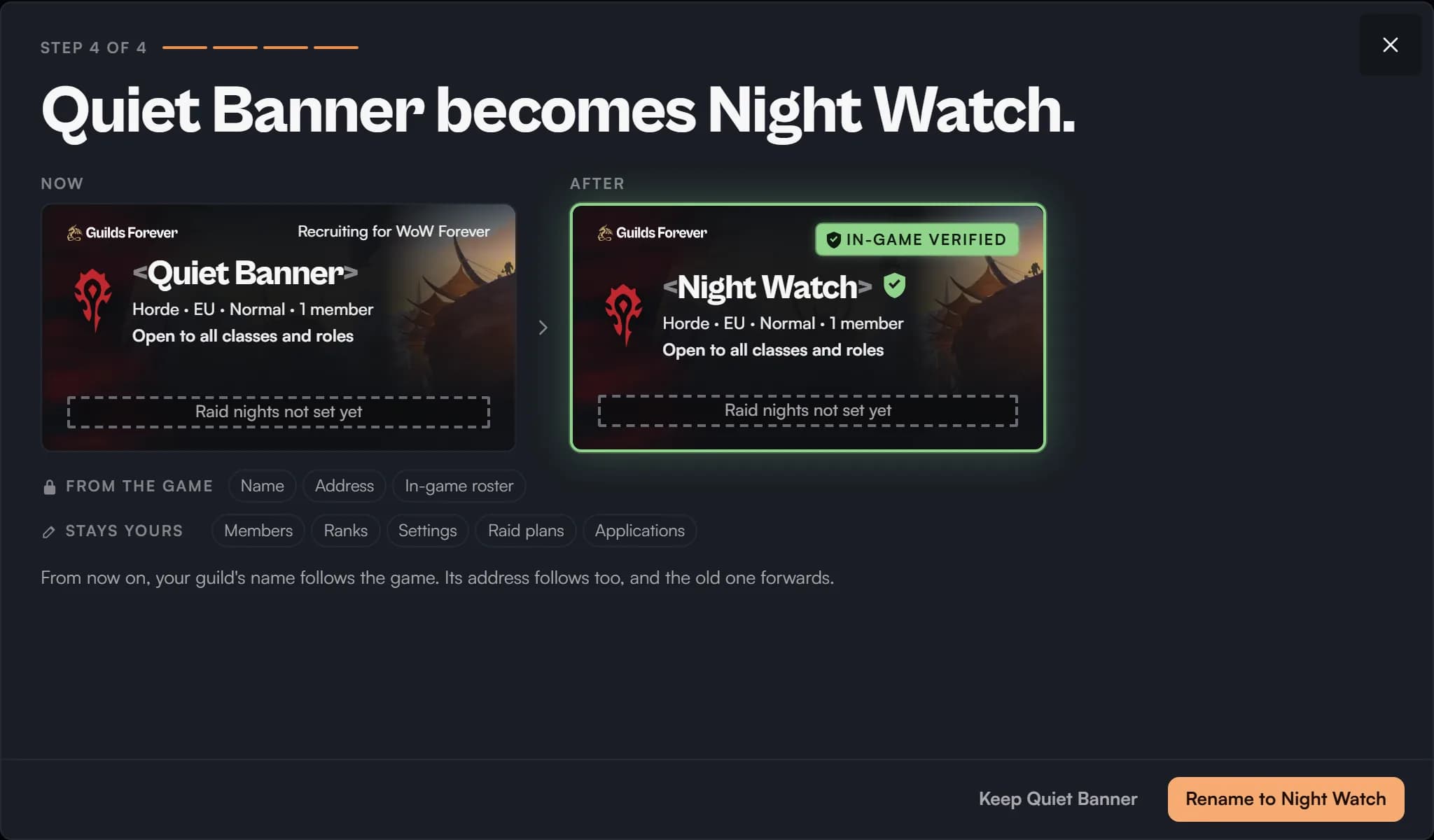
Your guild, verified.
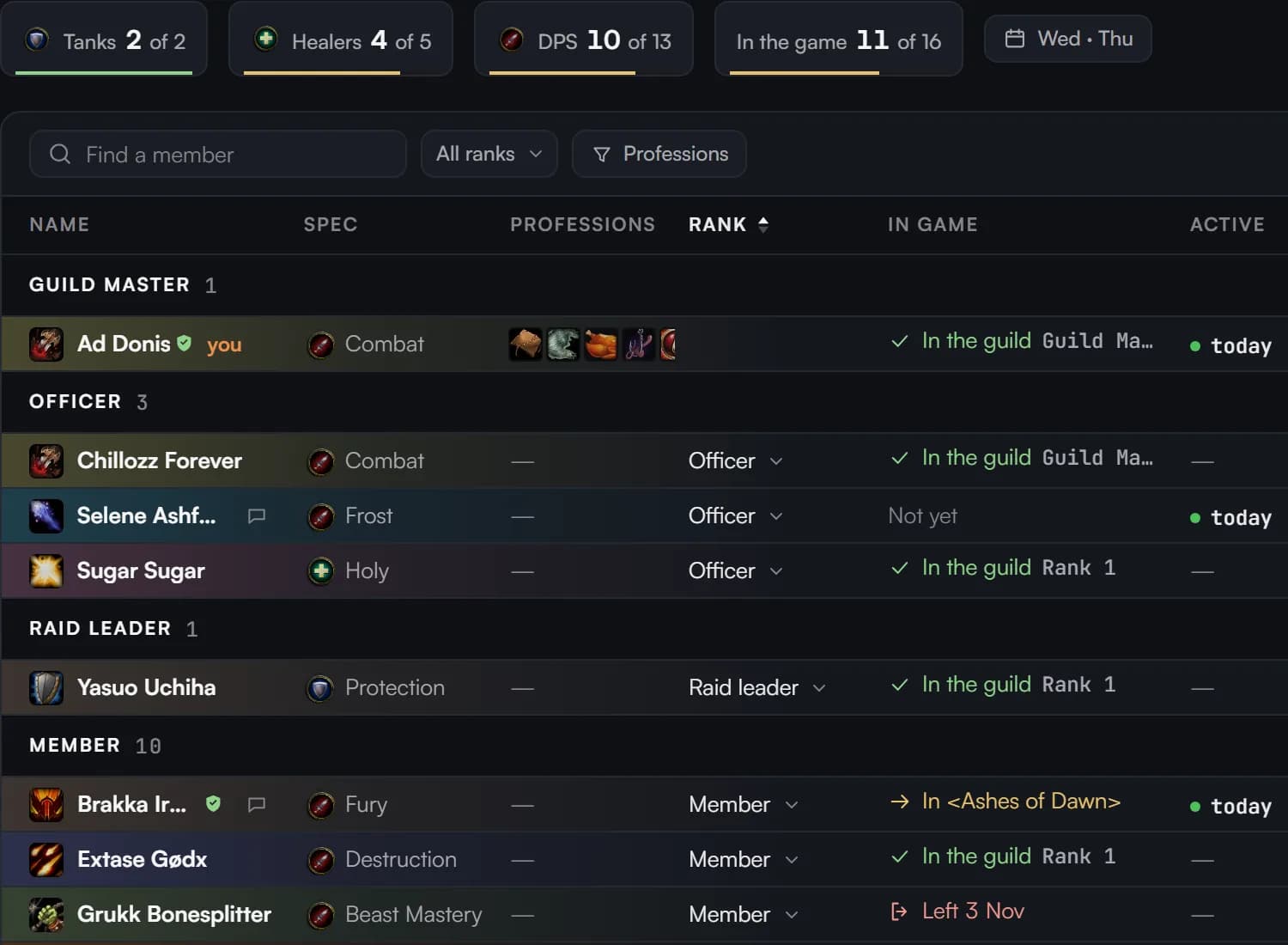
Found first.
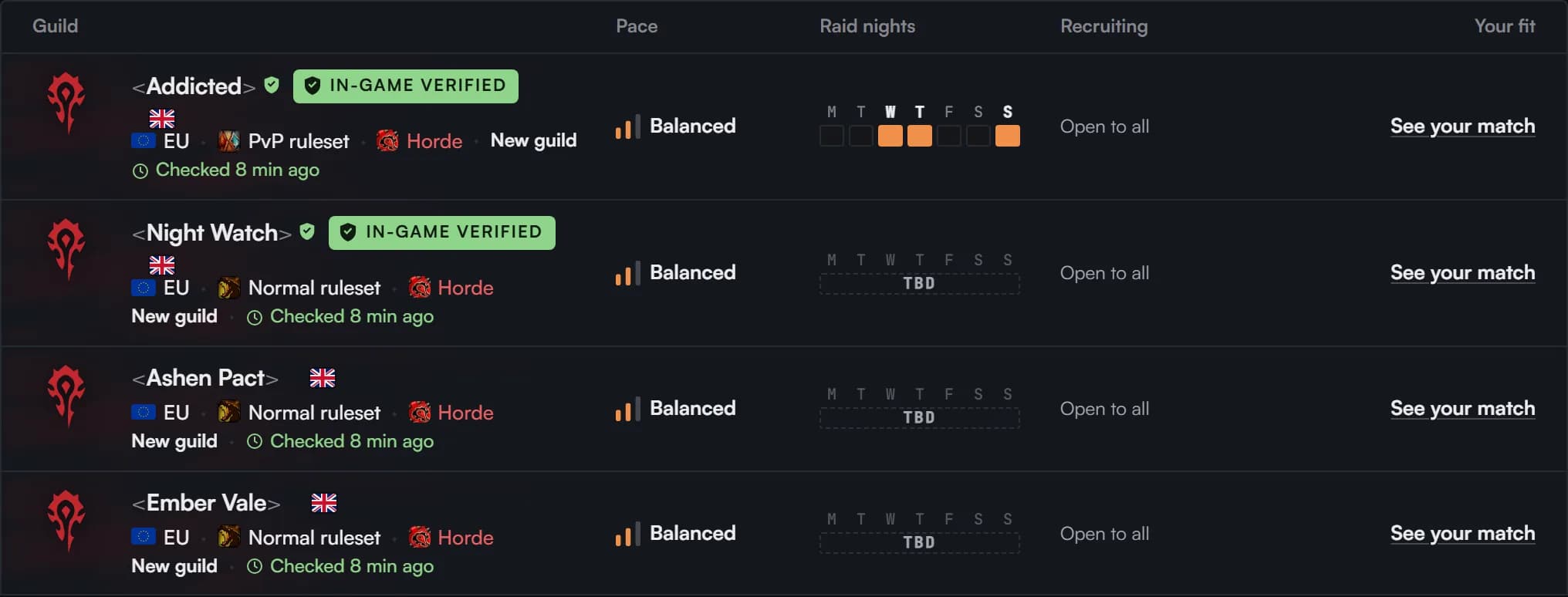
Among guilds that fit a player equally, verified ones come first.
What we read
We read your BattleTag and your Forever characters. Nothing else, and never to sign you in. Your BattleTag is shown only to your guild.
Unlink a character in Settings › Battle.net and it goes back to typed.
Questions
My name is different in the game.
That’s normal: you pick which character in the game is you. Once you confirm, the game’s name takes over here.
Who verifies a guild?
The Guild Master does, with the character that leads the guild in the game, at rank 0. One link verifies the whole guild.
My guild isn’t in the game yet.
Create it in the game with your character as its Guild Master. Then check again from your guild’s Home.
The game renamed my guild.
Once you confirm, your guild’s name follows the game, and so does its address. Links to the old address still open it.
Can I undo it?
Unlink the character in Settings › Battle.net, and it goes back to typed. The facts you typed before don’t come back.