
FreeAddon 1.0.0for WoW Forever
The Guilds Forever addon
Your guild and tonight’s raid, inside WoW Forever. Type /gf and it opens on your raid: when you pull, your group and your job.
The addon is in the game; the Windows app installs it and links it to the site.
Copies this page’s link
On your PC now? Download for WindowsGet the addon on CurseForgeThe addon alone, no Windows app
By guildsforever.com Never acts in combat or without your press What it shares
1423 guilds recruiting on guildsforever.comThe installer is on GitHub
In the game, type
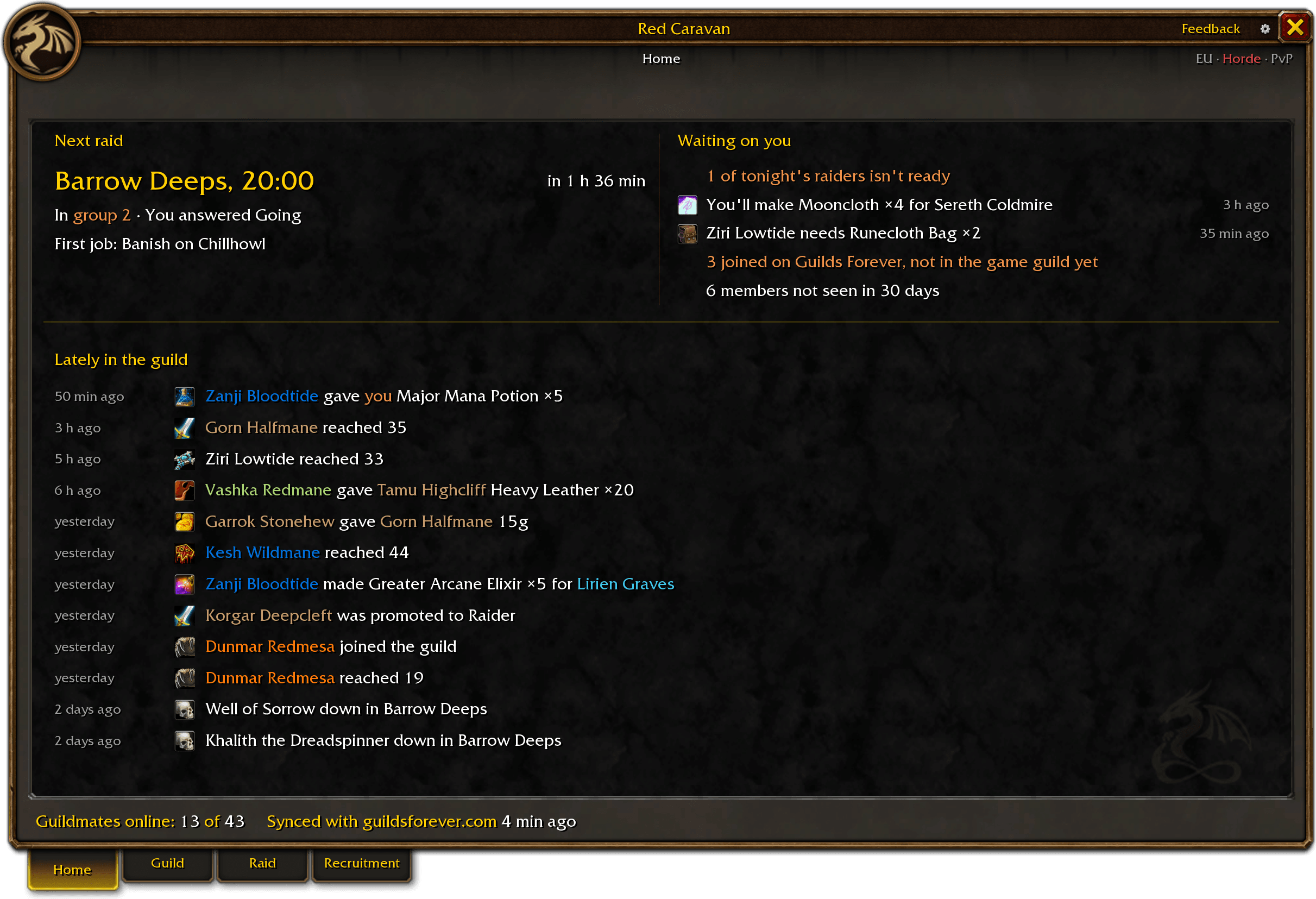
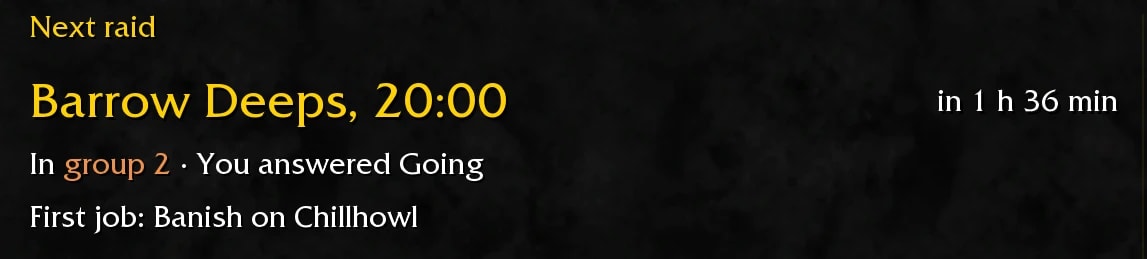
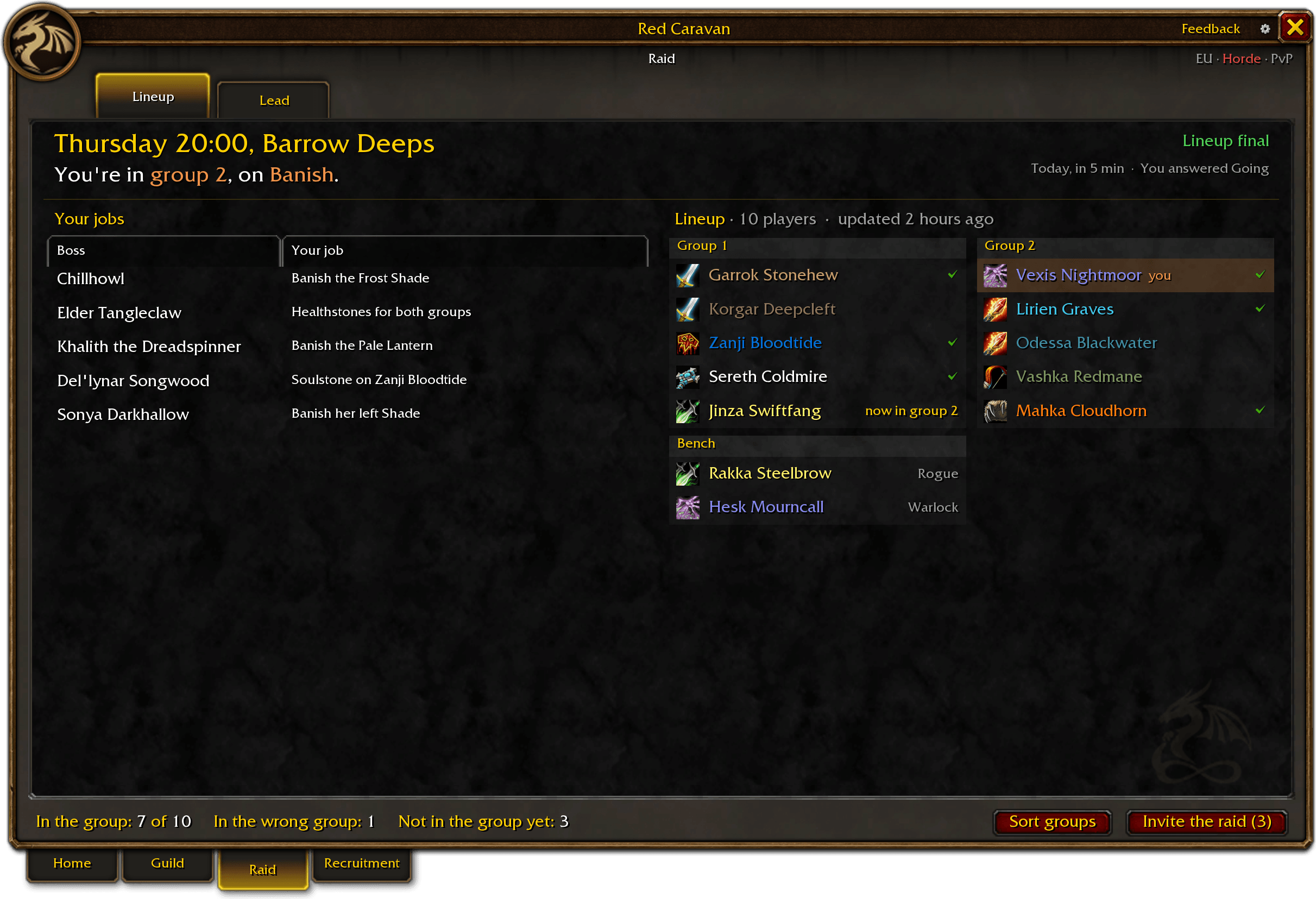

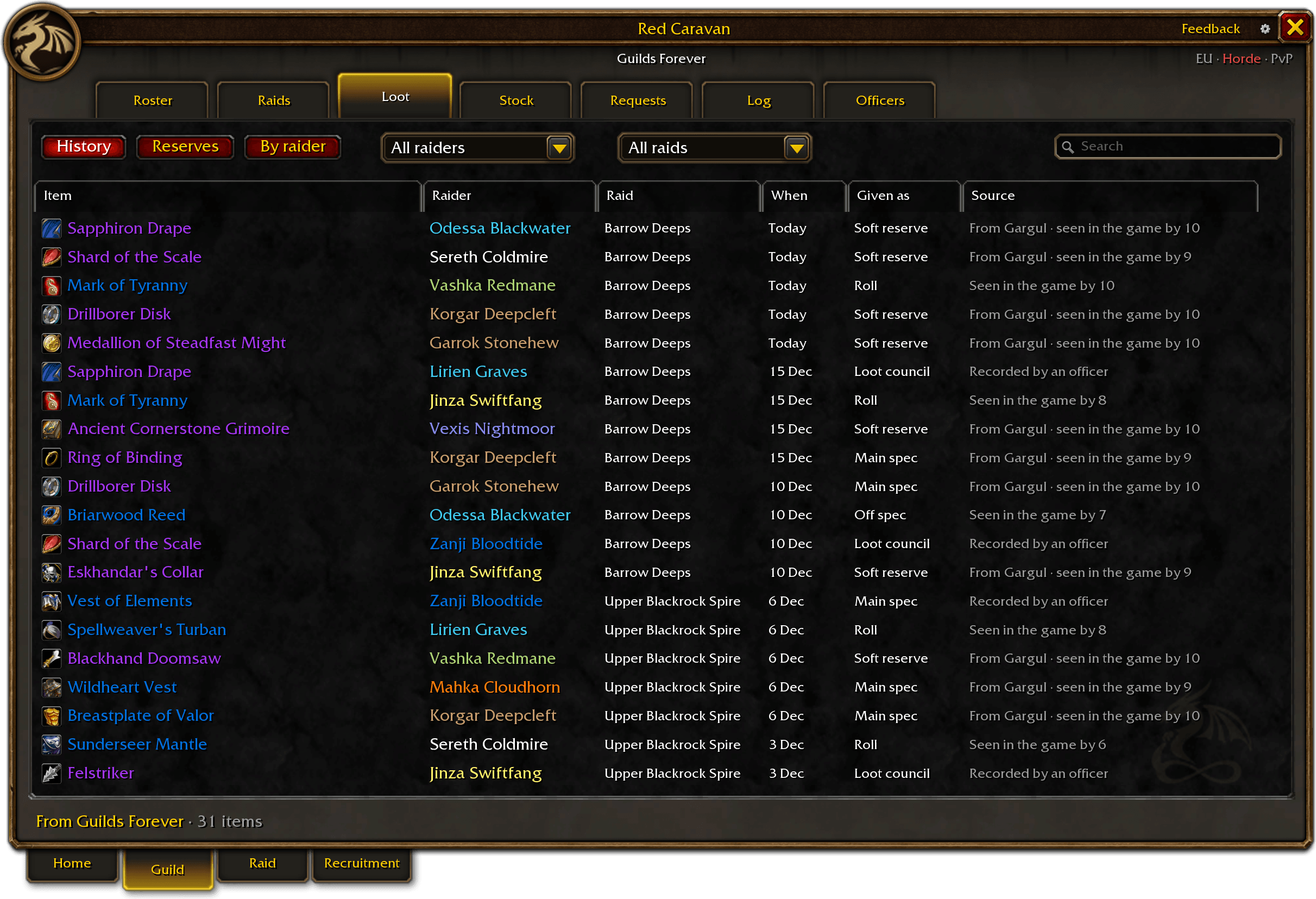
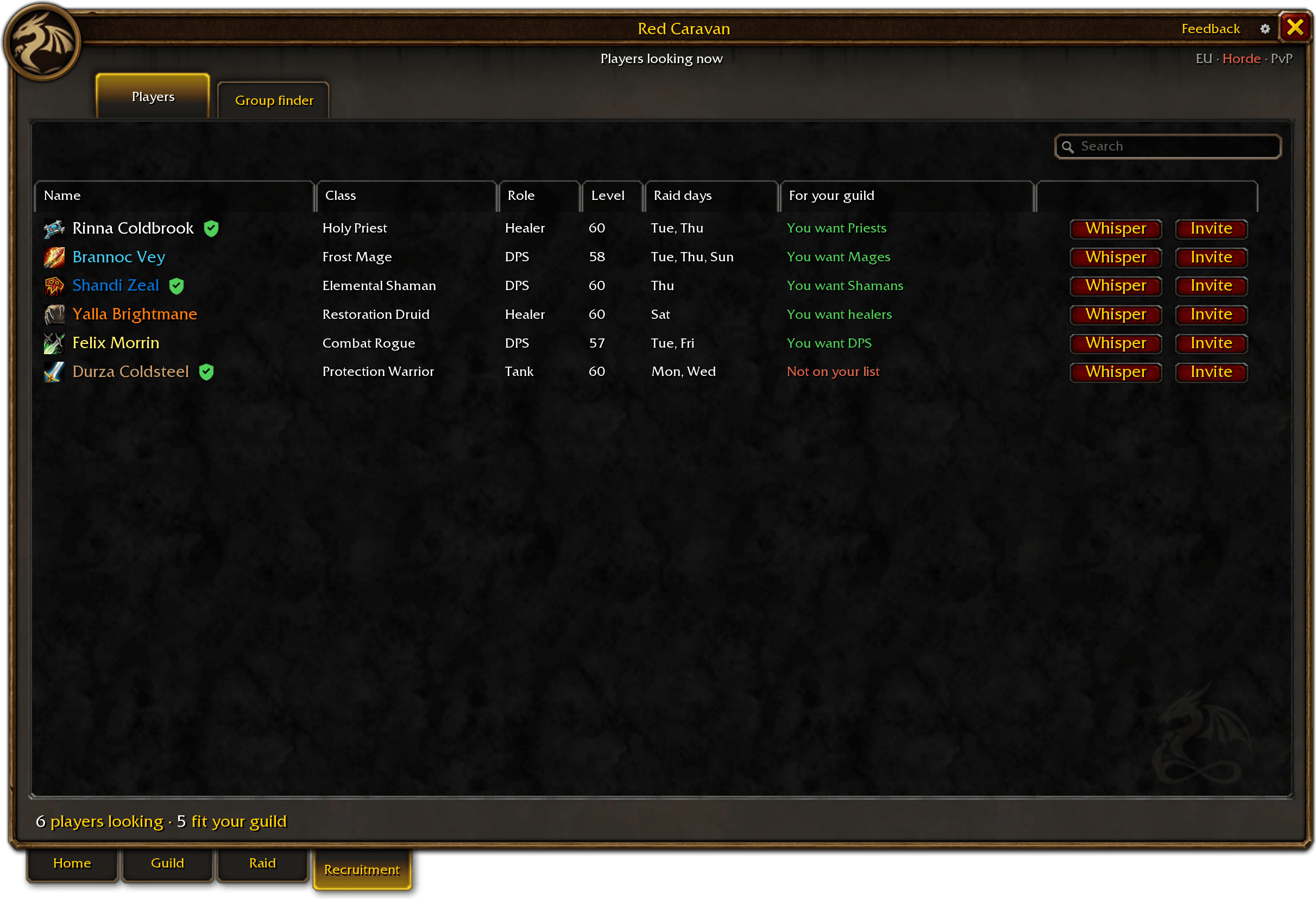
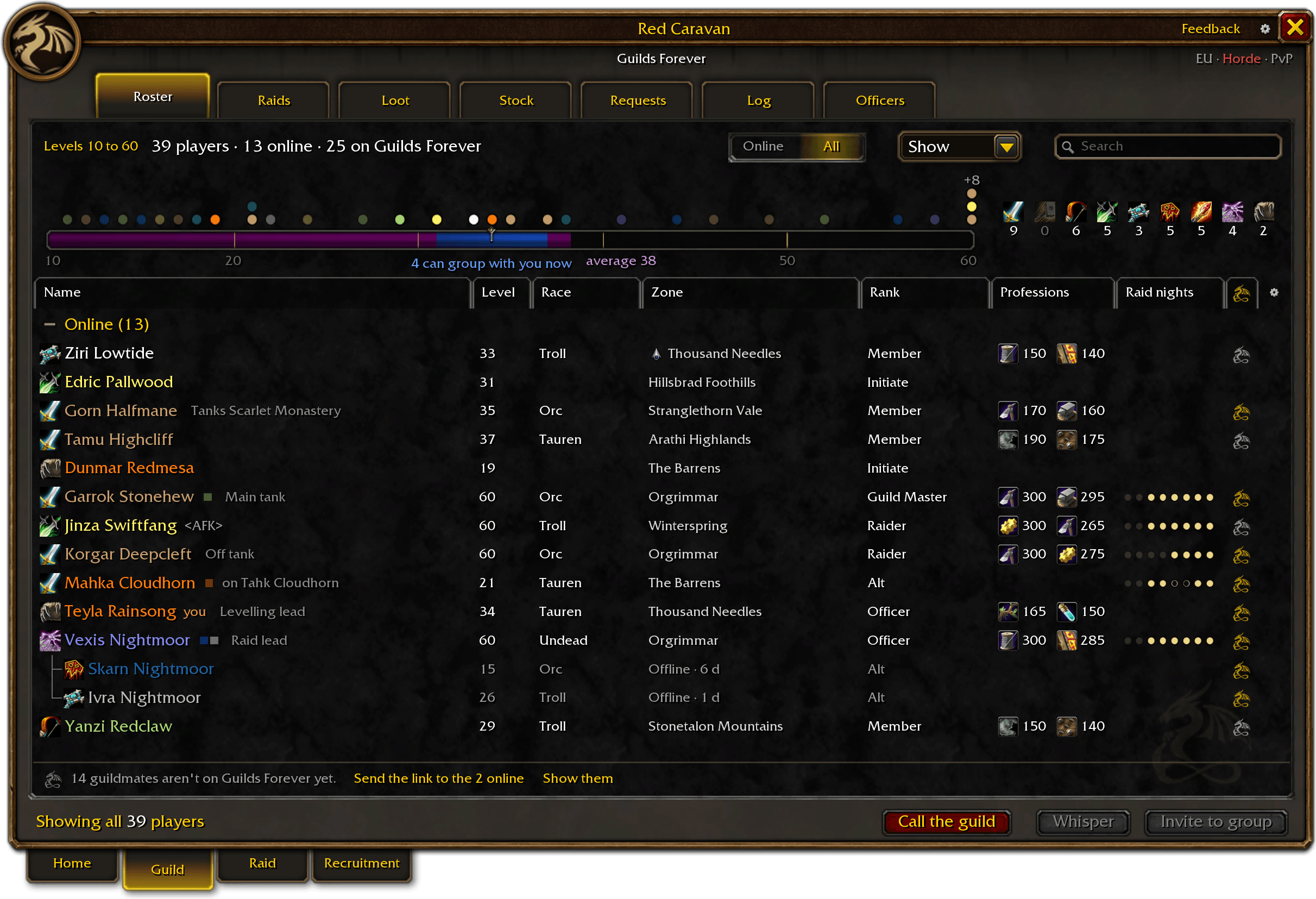
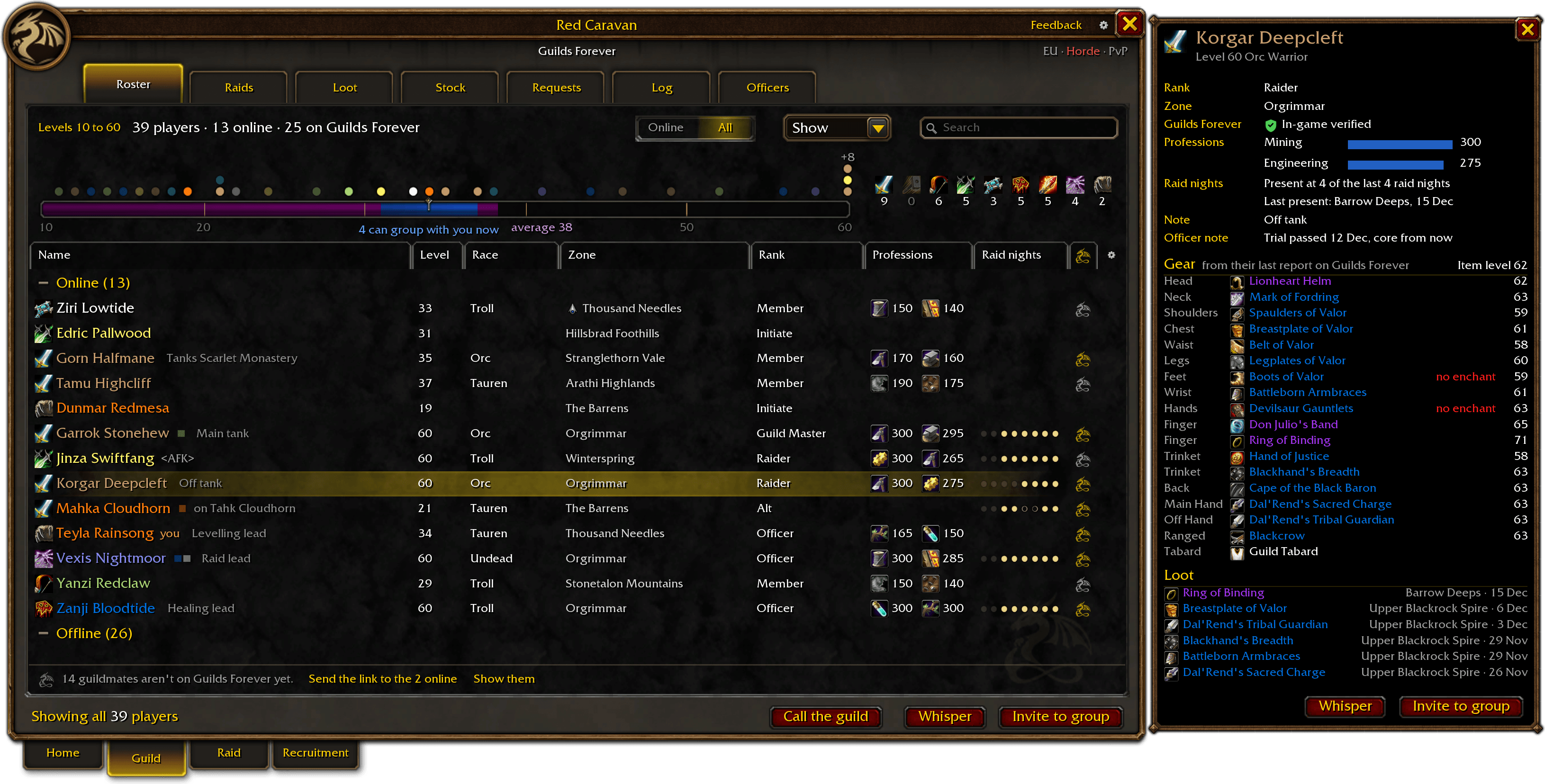
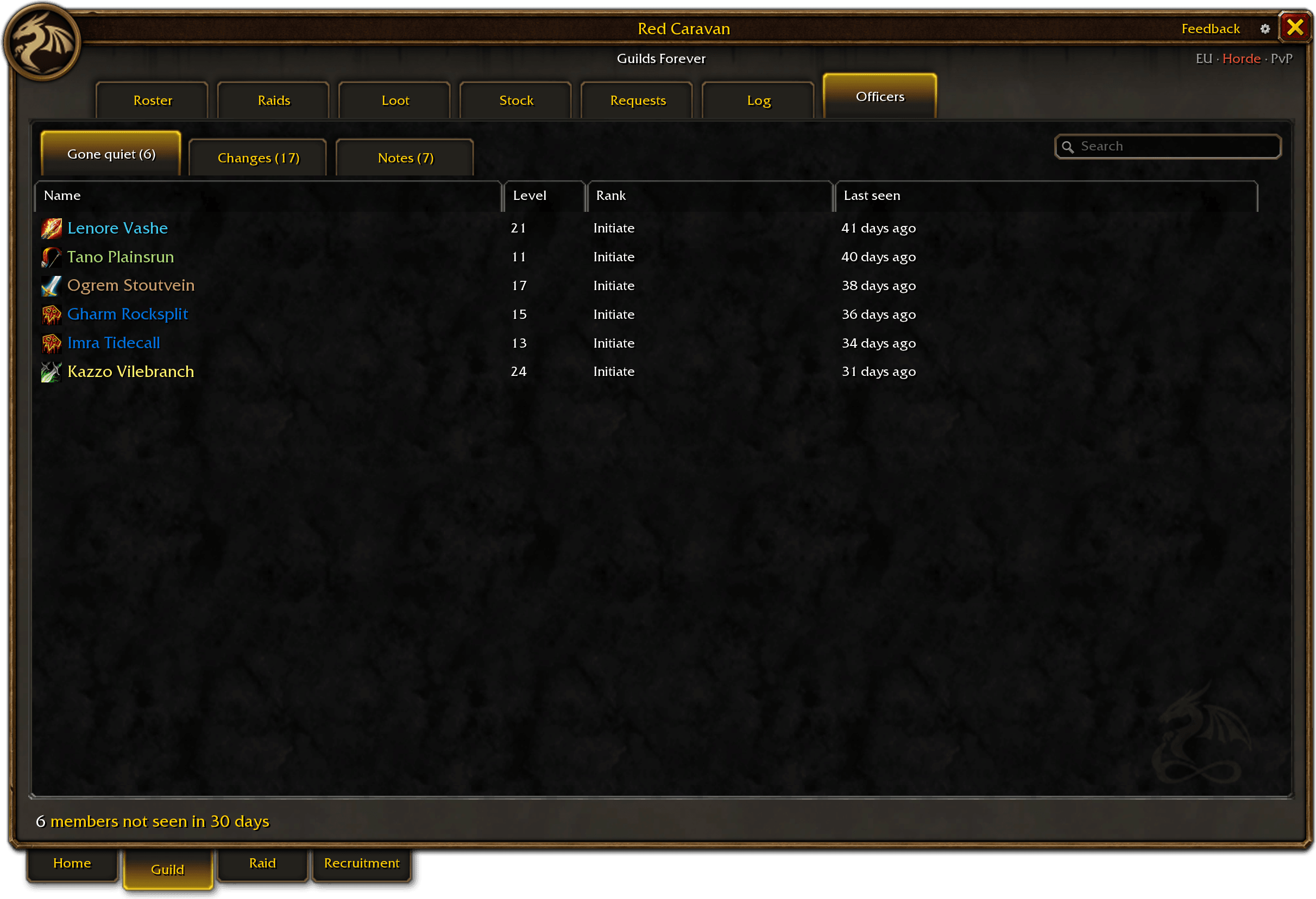
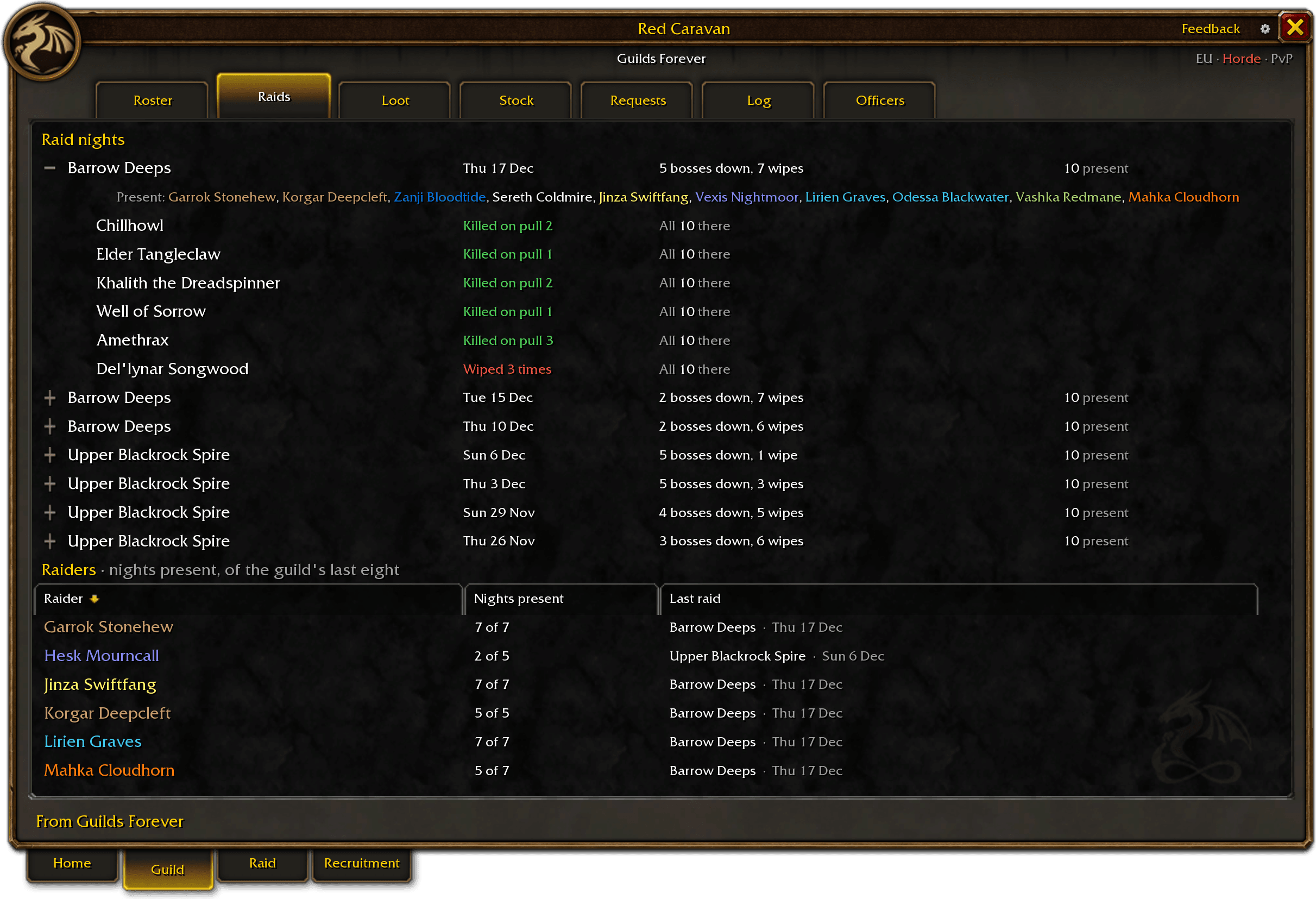
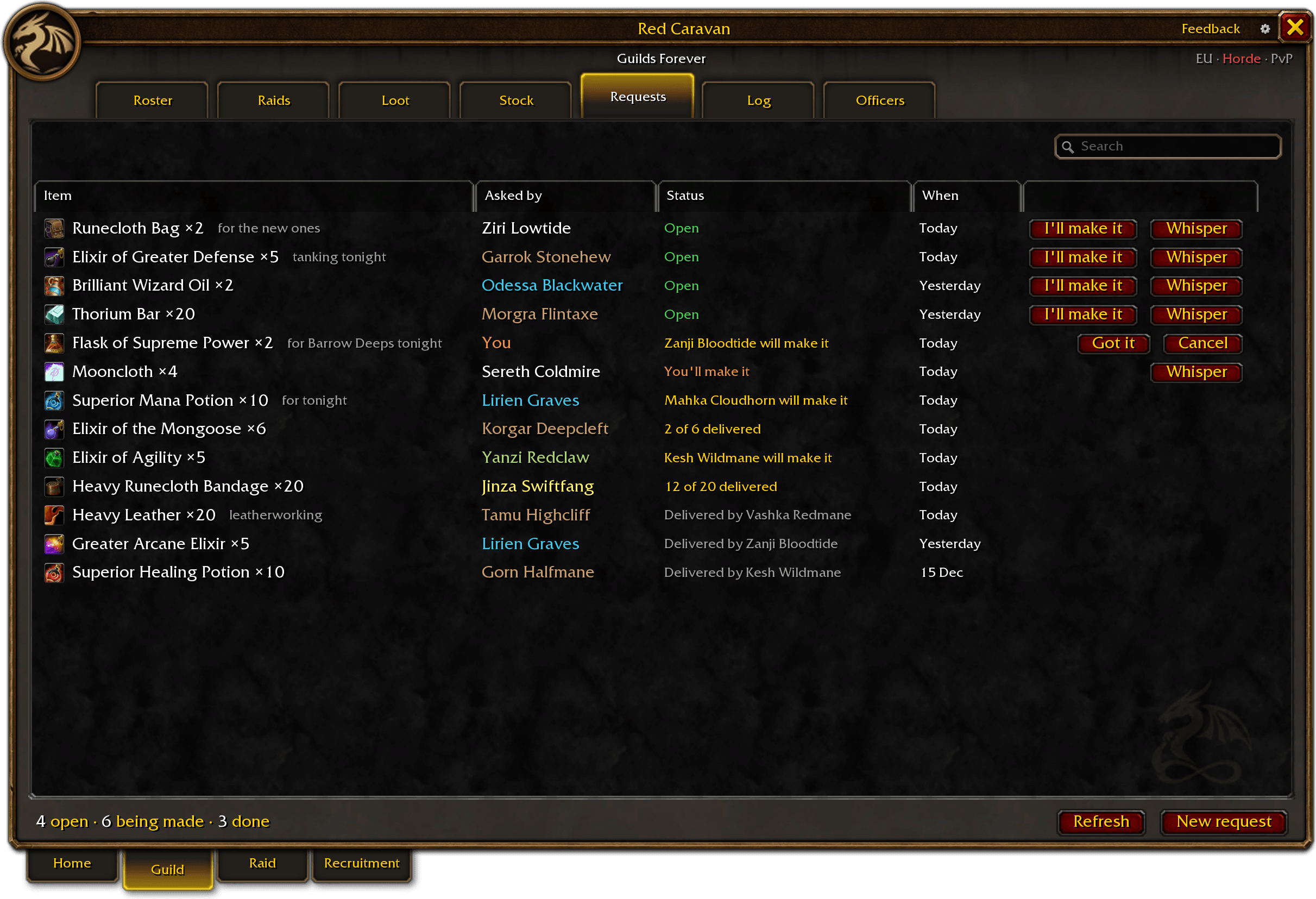
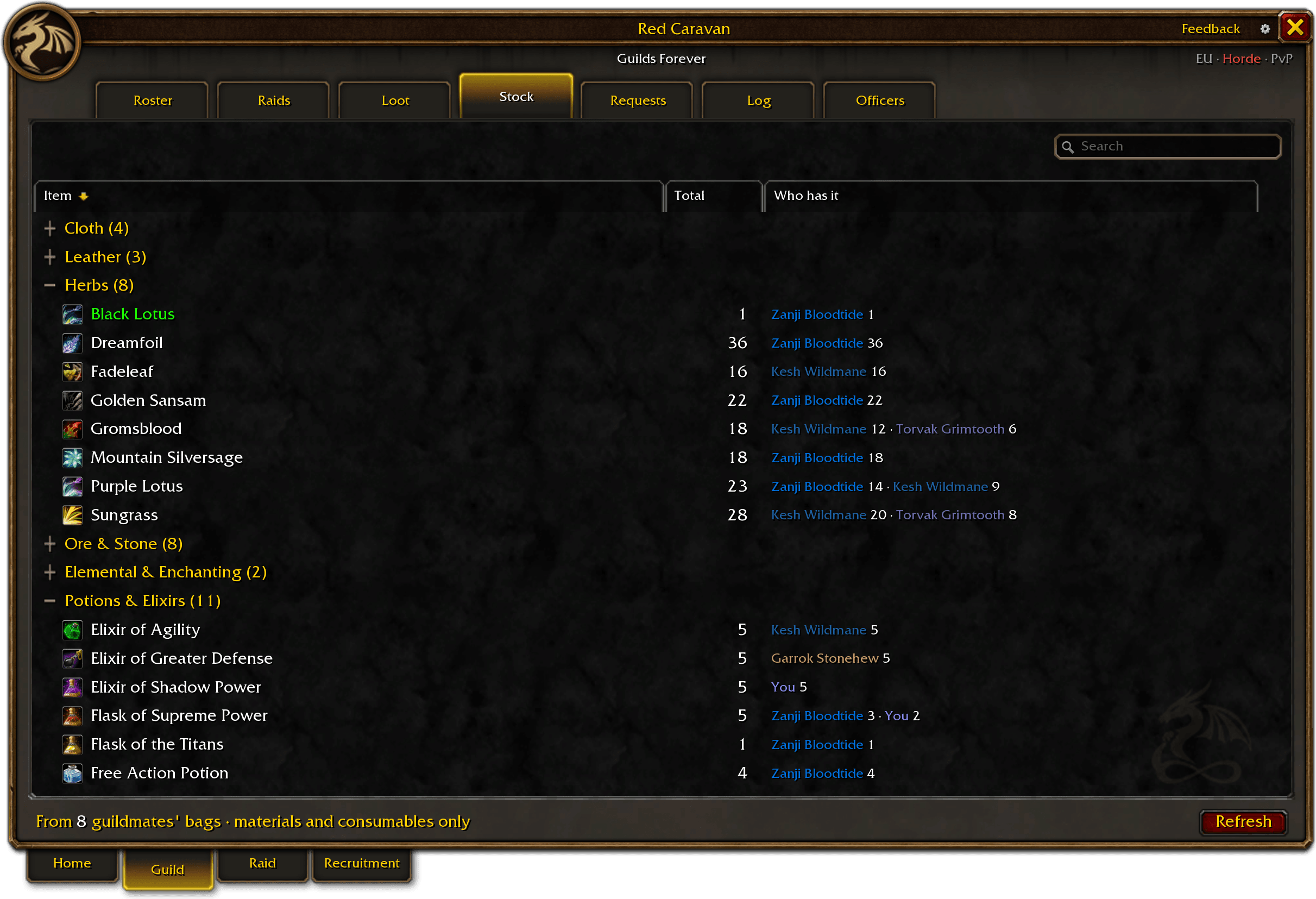
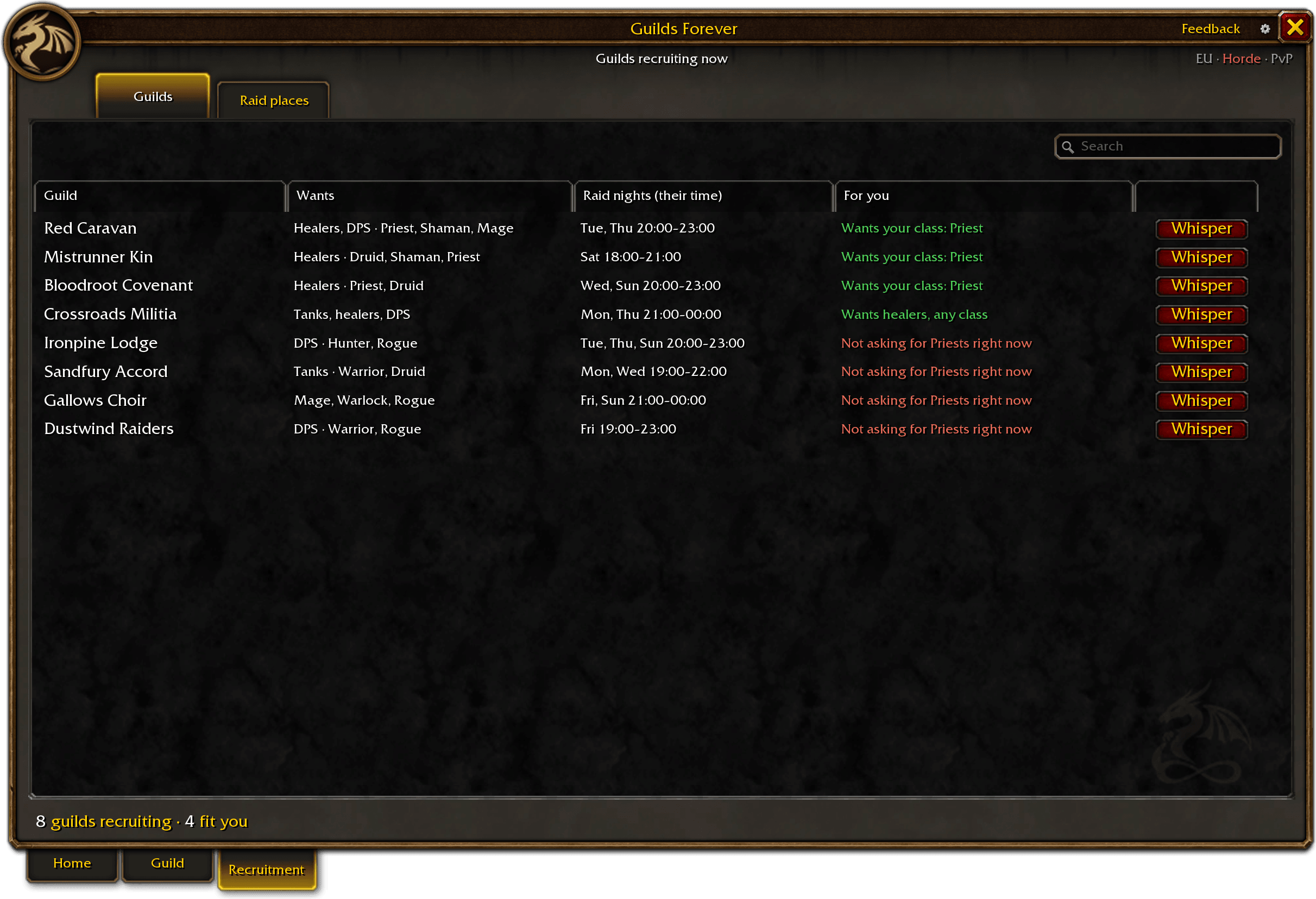
Press its tabs: they do what they do in the game.
The addon’s pictures on this page are its own screens, drawn with a sample guild.
The addon’s Guild window
What’s in the addon
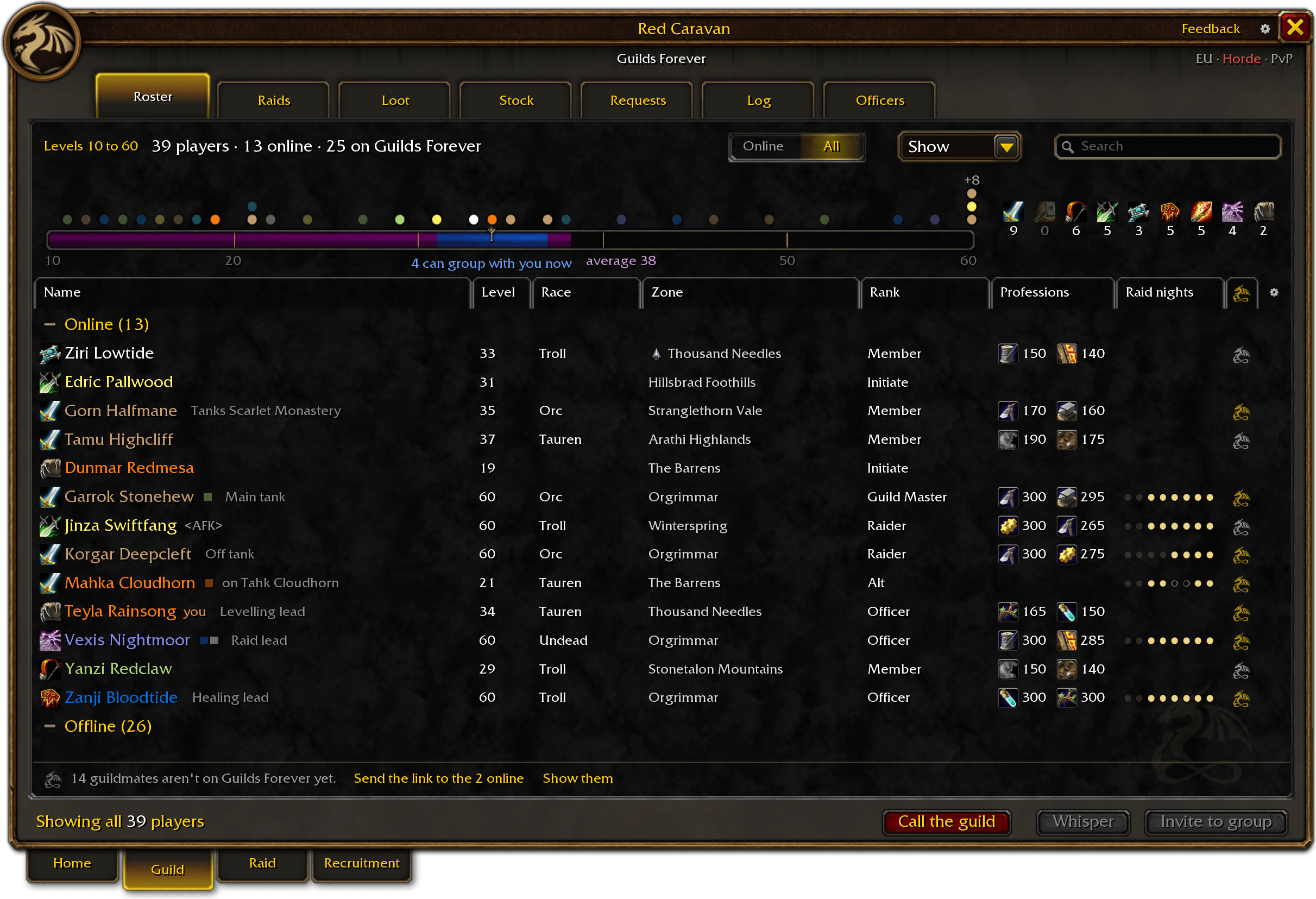
Every guildmate, what the guild carries, what it needs made and what guildmates gave each other. Press one to see it whole.
- Level ladderEvery guildmate on a ladder of levels; the levels that can group with you now are lit.

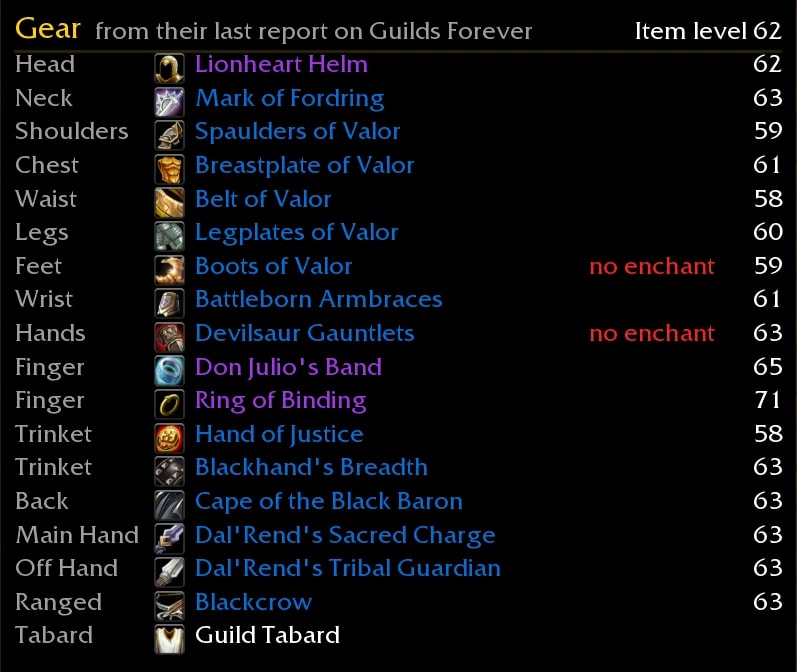
- Guild member’s character panelOpen any guild member: rank, gear with item levels, professions, loot and attendance.
- AttendanceThe last eight raid nights as eight dots, for those who plan the raids.

- Loot historyEvery drop, open to every member: who got what, and how it was given.

- Craft requestsAsk the guild once; the guildmates who can make it are told.

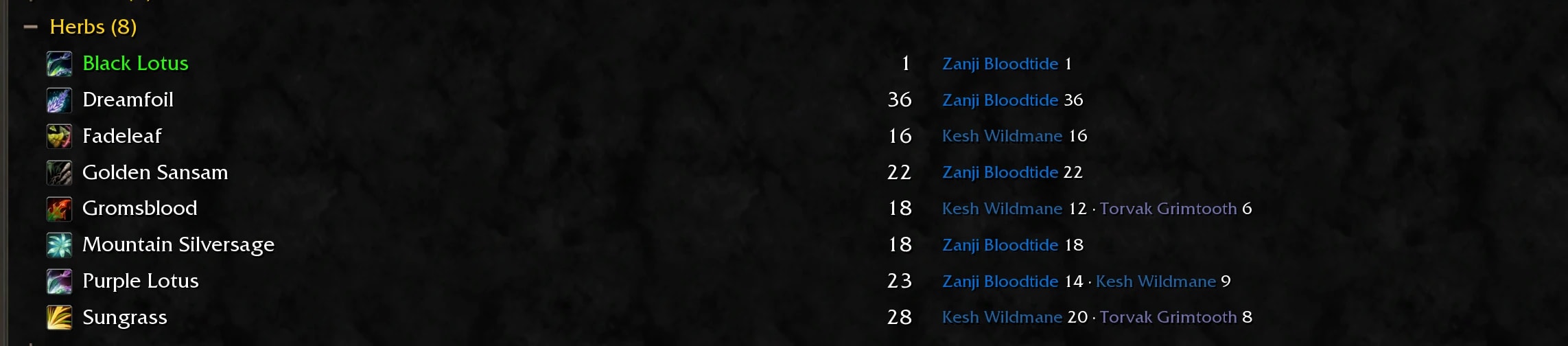
- Guild stockThe materials and consumables guildmates carry, and who has how many.
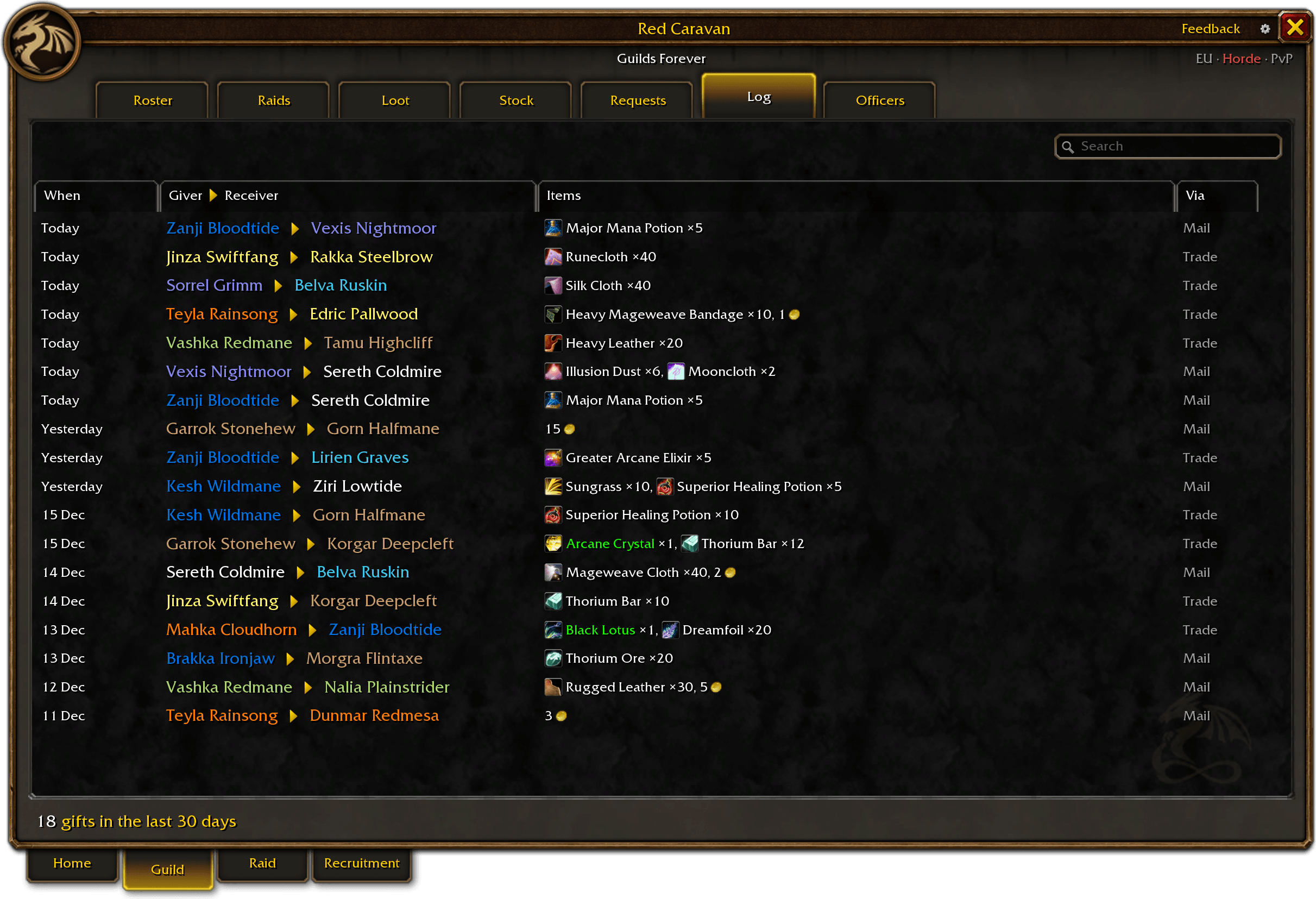
- Trade logsWhat guildmates gave each other, by trade or by mail, over the last 30 days.
- Inactivity trackerFor officers: see who has stopped logging in. Members not seen in 30 days, longest away first.

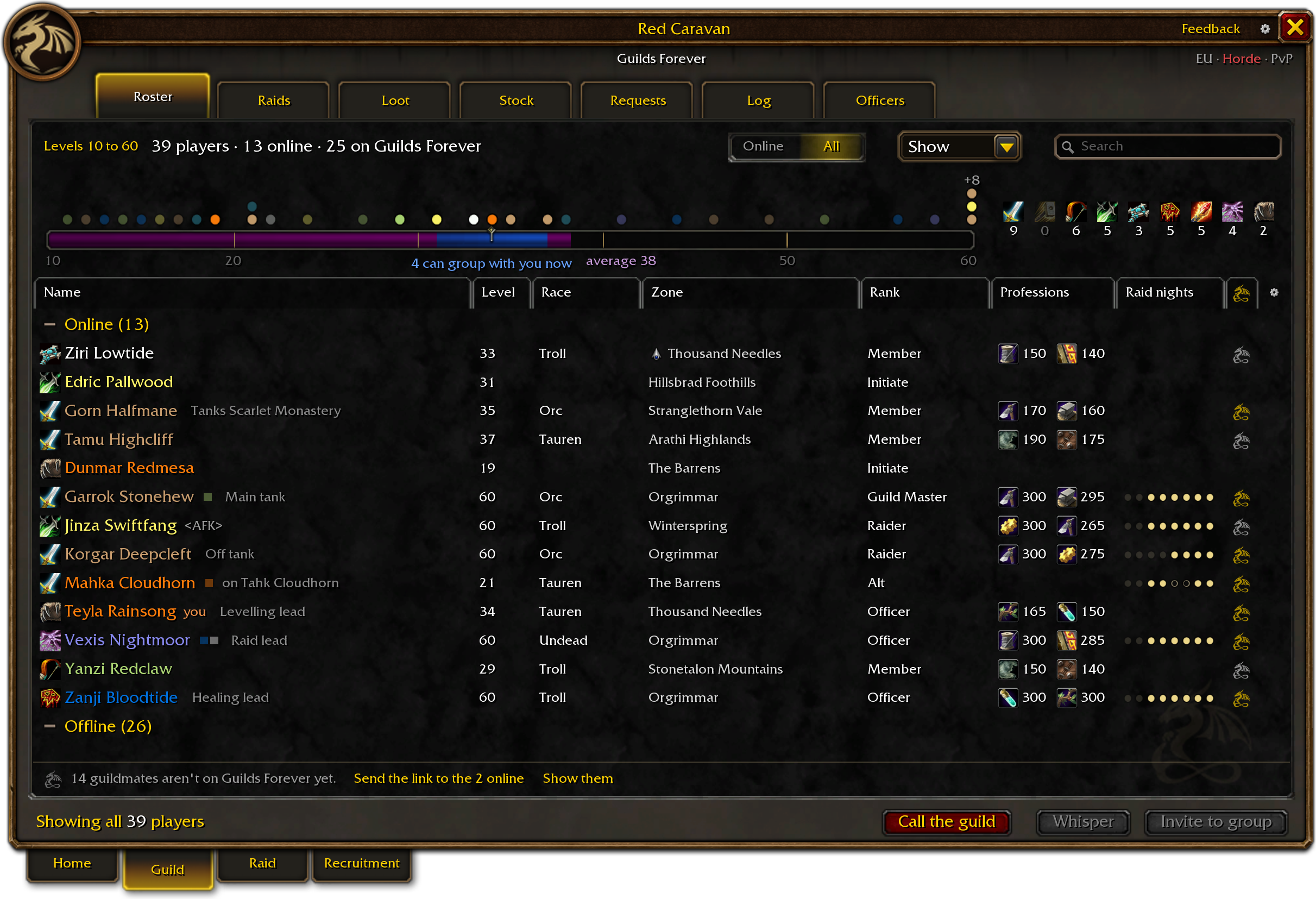
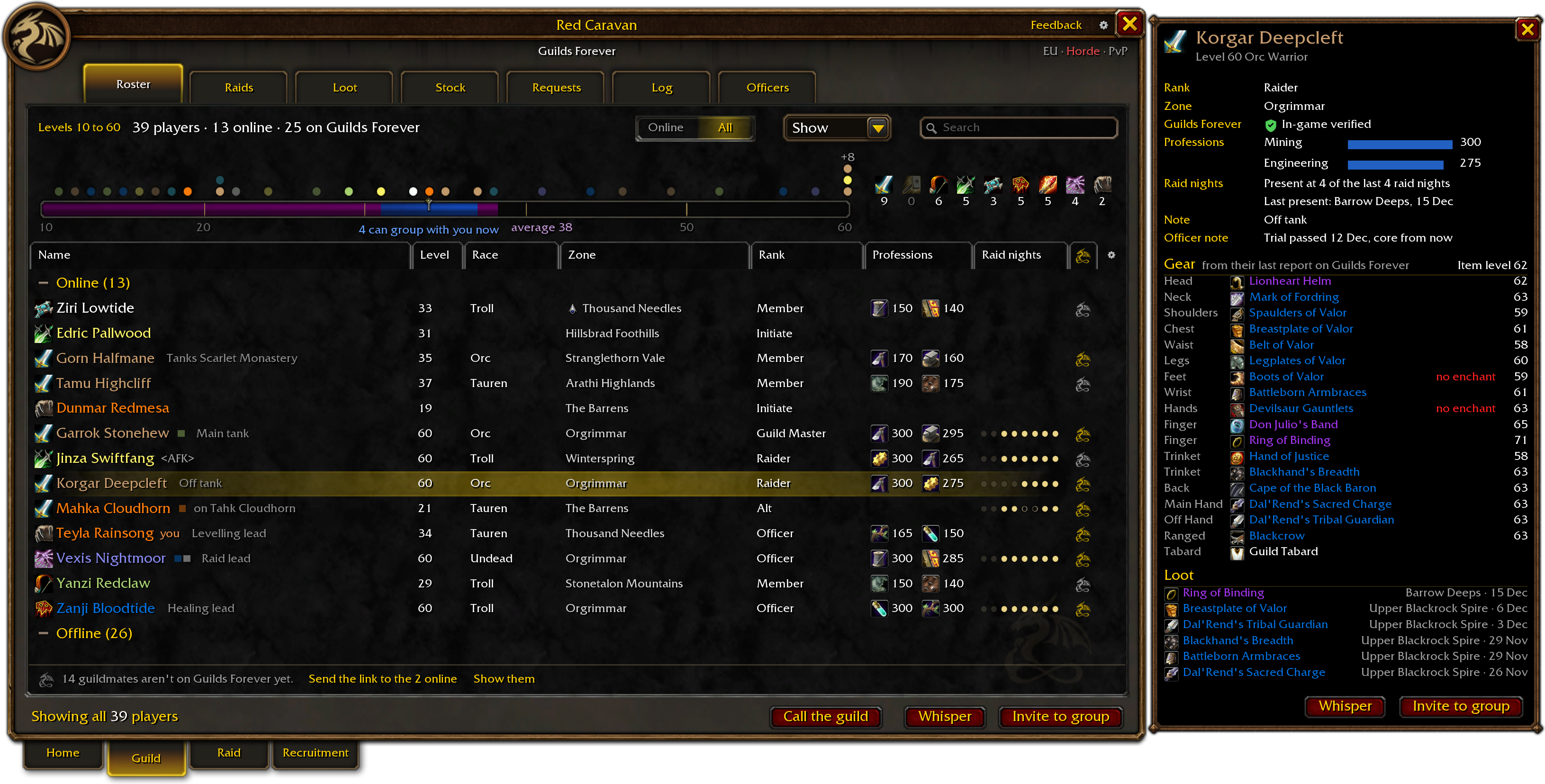
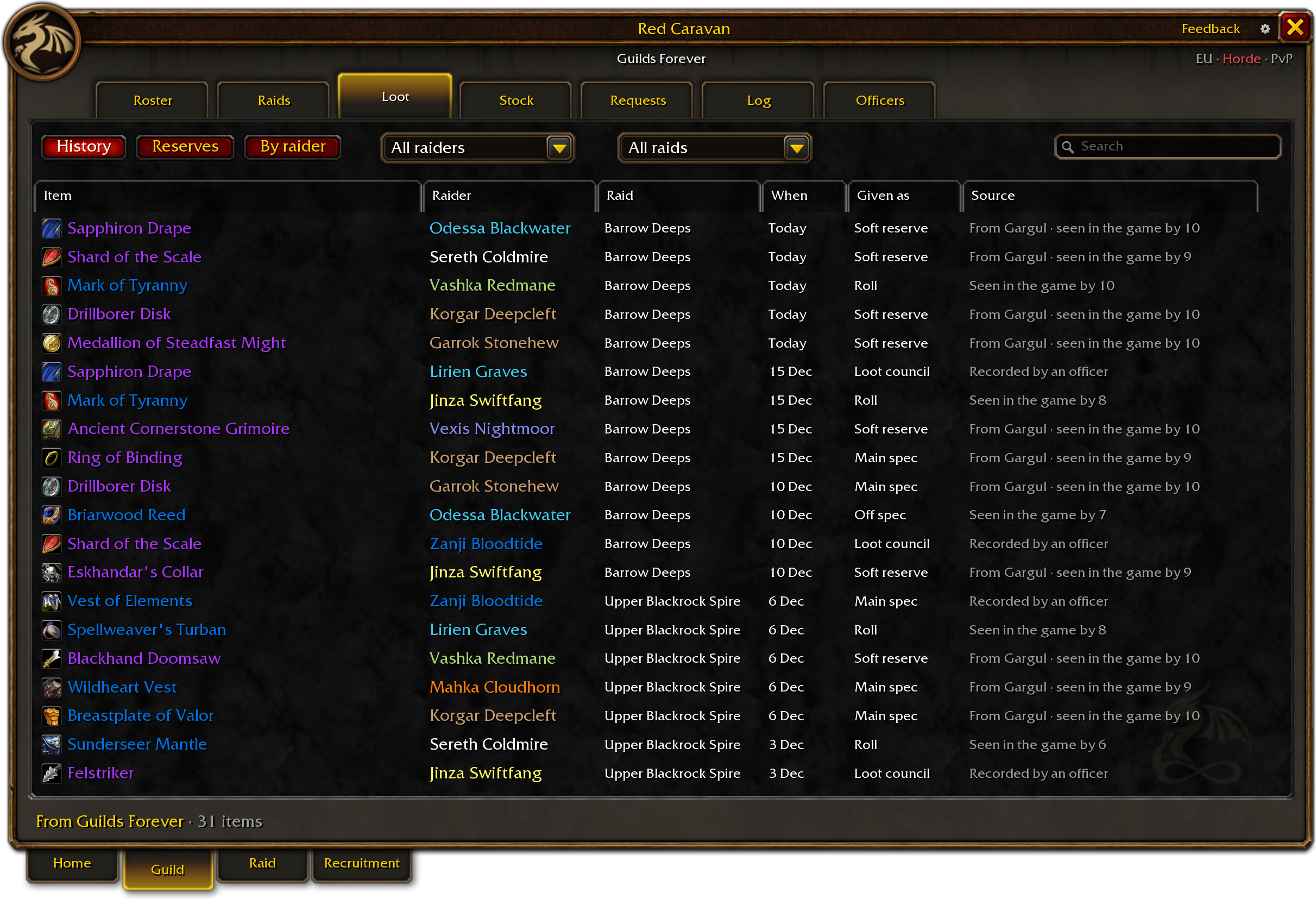
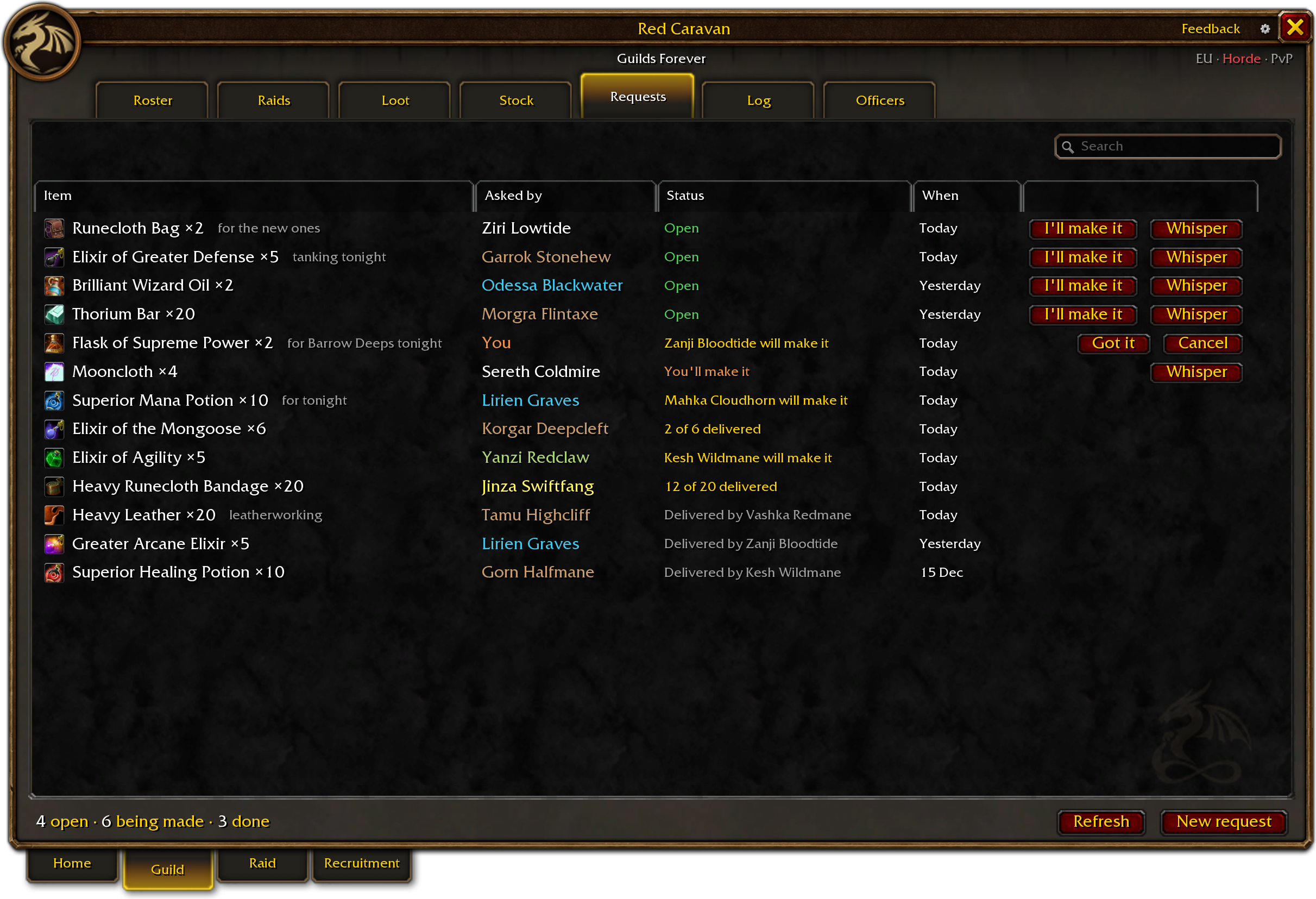
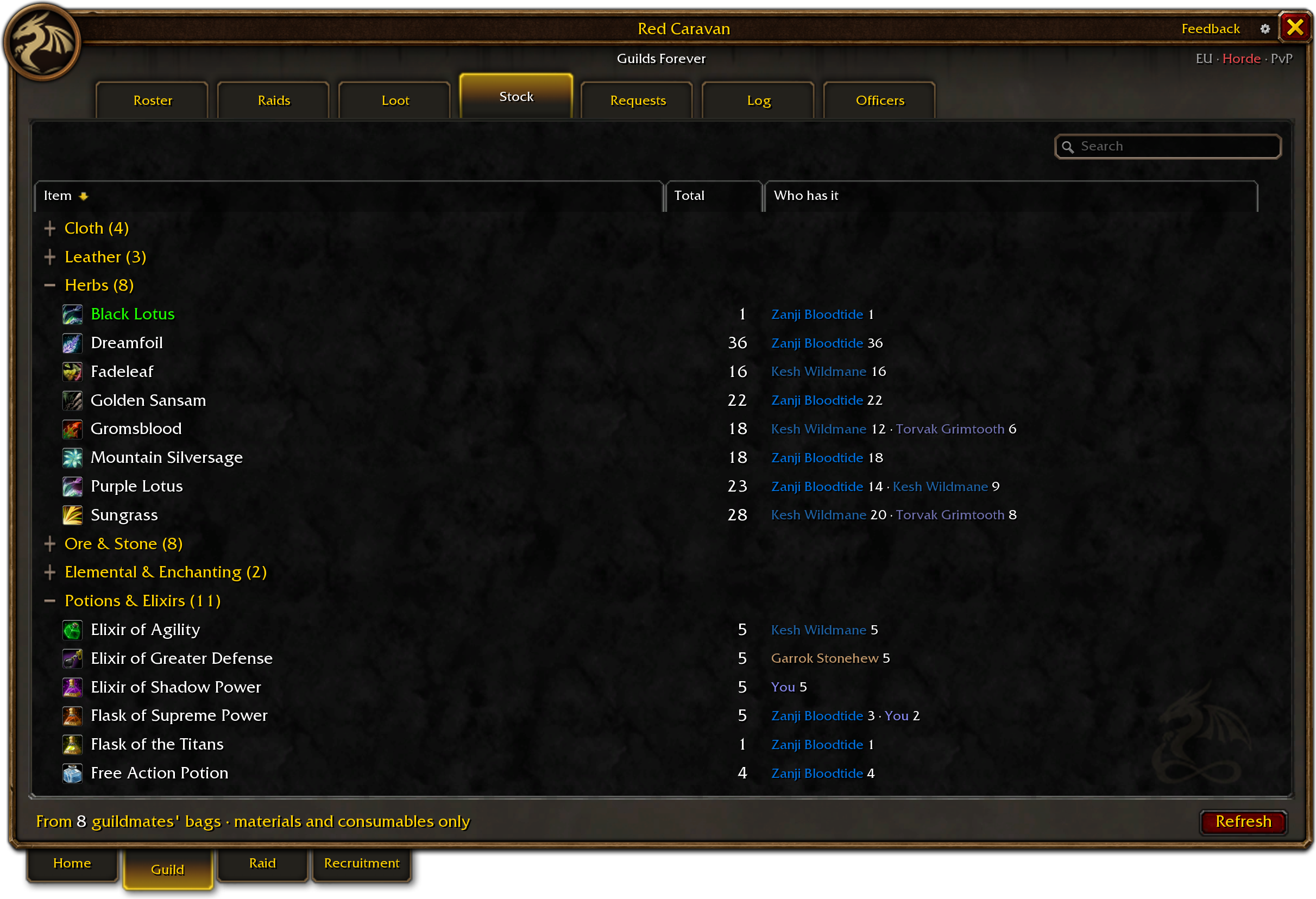
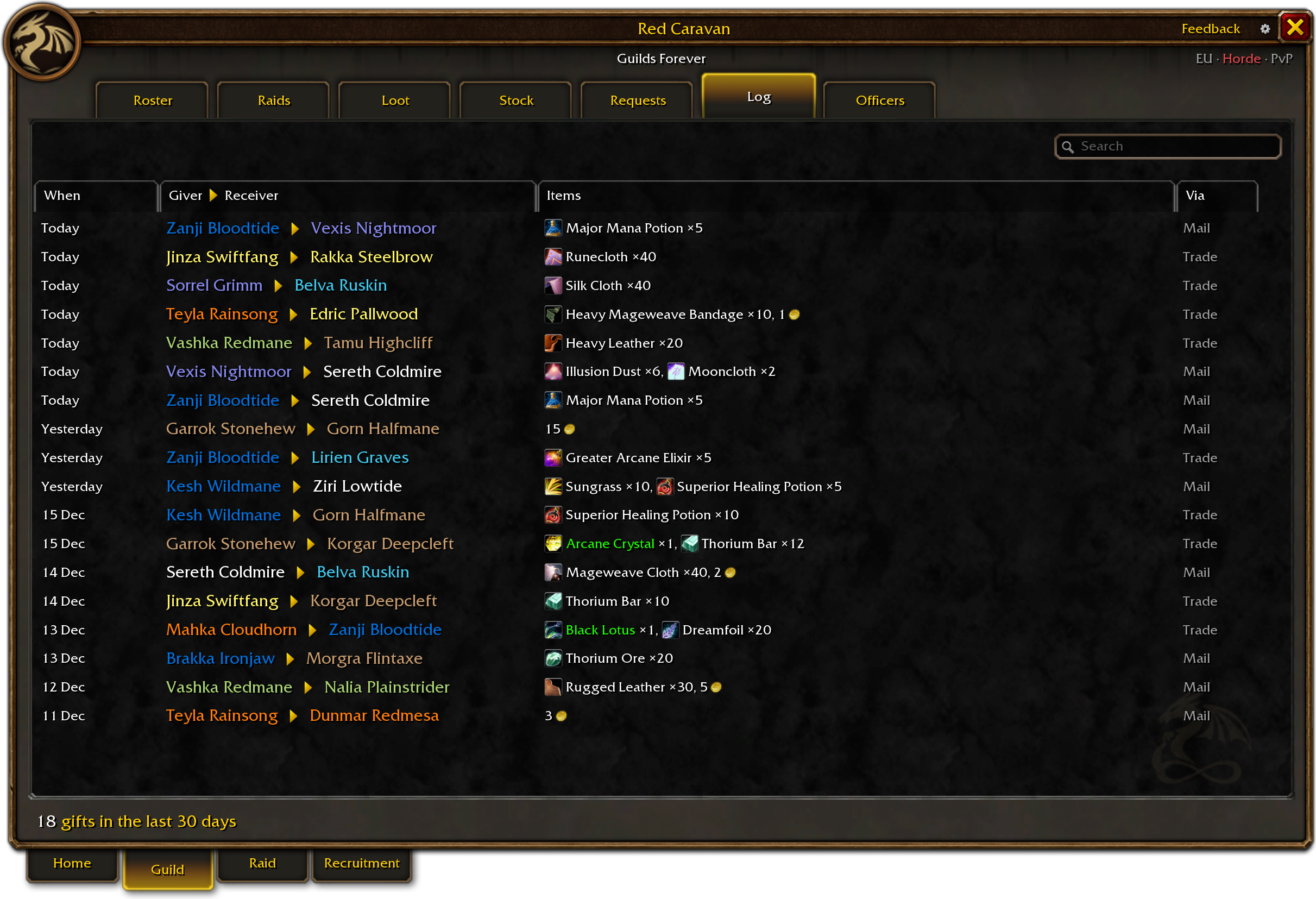
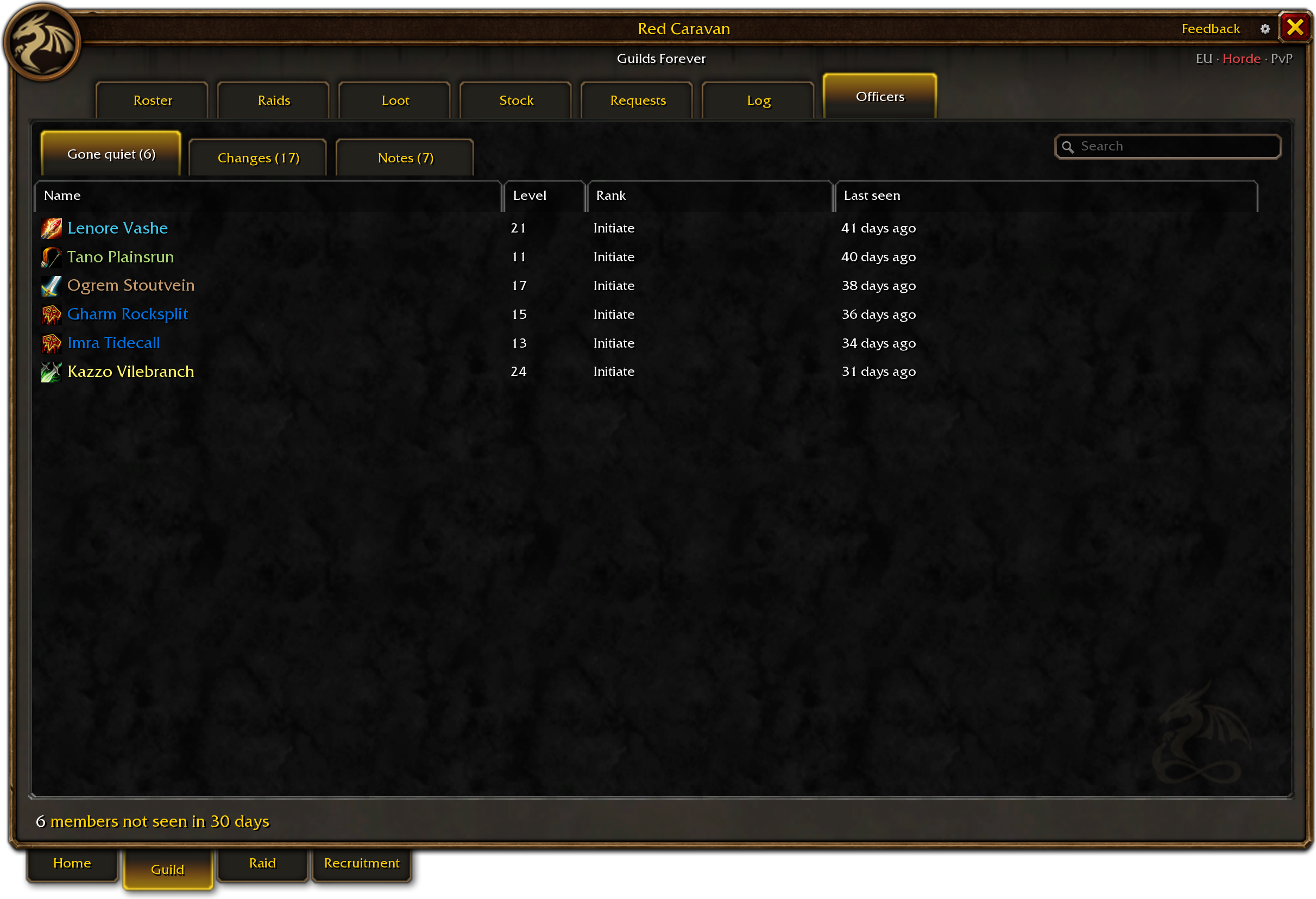
With the addon alone it fills from the game and your guildmates’ addons. The app adds what the site knows: who is on Guilds Forever, and the guild’s whole raid and loot history.
The addon’s Roster
What the Roster shows you
Five things to look for. Press a number on the picture.
 Level ladder Every player a pip at their level, the levels that can group with you lit, and “4 can group with you now” under them.Alts with their main A player’s other characters sit beside their name; a press opens them as rows.Press a rank to filter A rank, a zone, a profession: only those show, and what is narrowed sits over the table as a chip.Guilds Forever mark Our crest in gold when in-game verified, in white-grey when on Guilds Forever, nothing when not.Attendance The last eight raid nights: present, missed or not expected, for those who plan the raids.
- Level ladder. Every player a pip at their level, the levels that can group with you lit, and “4 can group with you now” under them.
- Alts with their main. A player’s other characters sit beside their name; a press opens them as rows.
- Press a rank to filter. A rank, a zone, a profession: only those show, and what is narrowed sits over the table as a chip.
- Guilds Forever mark. Our crest in gold when in-game verified, in white-grey when on Guilds Forever, nothing when not.
- Attendance. The last eight raid nights: present, missed or not expected, for those who plan the raids.
Discord, the site and the game
From a Discord sign-up to the game, and back
A sign-up in Discord reaches guildsforever.com, the app carries it into the game, and the addon shows you your group and your job.
When the boss dies, the kill goes back the same way, into the guild’s history and its Discord.
In Discord
On the site
In the game
The Windows app
Free, for Windows
The Windows app
It waits in the tray while you play and keeps guildsforever.com and the game in step.
- Installs the addon and keeps it up to date.
- Keeps your characters and your guild in step with the site.
- Brings tonight’s raid into the game: the lineup, your group, your jobs and the reserves.
- Tells the site when a boss dies, and who was there.
Its tray menu turns each part on or off. Disconnect it at any time in Settings, under Account.
No Windows app? The Roster, Stock, Requests, guildmates on the map and the group finder work with the addon alone; tonight’s raid comes from guildsforever.com through the app, or from a guildmate who runs it. Get it on CurseForge.
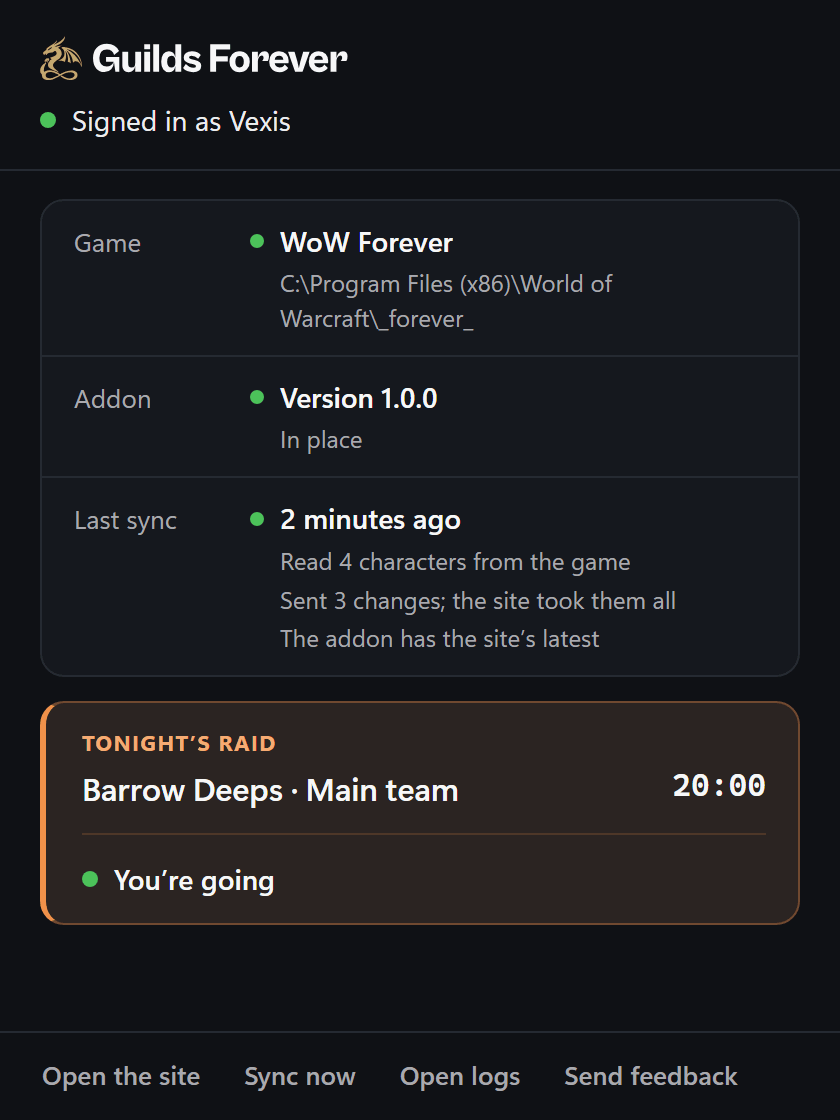
What the app did on one raid night (an example)
- 19:31 The addon is up to date
- 19:40 Tonight’s raid sent to the game: your group and your jobs
- 20:14 A kill sent to guildsforever.com
- 23:20 You logged out: your characters and the guild’s roster sent
Set up in three steps
Install
Run the installer. The app finds the game and waits in the system tray, next to the clock. Its small window opens by itself the first time; a click on the tray icon opens it again.
Windows may warn about an unknown publisher: choose More info, then Run anyway.
Sign in
Your browser opens Guilds Forever: sign in, or make a free account, then choose Connect this computer. Sign in… is also in the app’s window and its tray menu.
Play
The app puts the addon in as soon as you’ve signed in, if the game is closed; otherwise within ten minutes of closing it. Then open WoW Forever and type /gf.
What leaves your computer
What it shares, and how to turn it off
- It never goes online. The addon talks to other players’ addons only through the game’s own addon messages.
- It acts only when you press. No invite, group move or line in chat goes by itself, and none of it in combat.
- Every switch is in /gf settings. Each one below is on until you turn it off.
- Share my bags with the guildThe materials and consumables you carry, by item and count, for Stock.To: Your guildmates’ addons
- Share my position with the guildWhere you are on the map, outside instances.To: Your guildmates’ addons
- Share my character with the guildYour level, item level, gear and professions, and what you can make. A missing enchant is shown only to those who invite for the guild or lead the raid, and to you. Turning it off also clears the reports already kept, so none is sent.To: Your guildmates’ addons, and guildsforever.com through the app
- Talk to other addon usersAfter a boss fight, that you saw it: when it started, and kill or wipe. The site’s signed notices, passed on word for word, never anything of yours: a raid night goes only to its guild and its group, and one from another guild’s leader shows only while you’re in their group. Off, nothing goes to anyone.To: Other players’ addons
- Take part in the side’s networkBeing in it, which anyone else in it can see.To: Your side’s hidden channel
- The Windows appRead from the files the game writes on your computer, never from the game itself: your characters as the game describes them and the choices you made in the game; your guild’s roster as the game lists it, officer notes only if your rank may read them; the boss fights you saw, who was in the group, and what dropped.To: guildsforever.com · Disconnect it in Settings › Account, or quit it from its tray.
- /gf feedbackA report you write, with the addon’s version, your game’s build, the page you were on and its last errors.To: The people who build Guilds Forever · Only when you press Send.
Recruitment
Looking for a guild, or a healer for tonight
Guilds recruiting that fit you and raids with a place tonight, inside the game. Officers also see players looking for a guild.
Every one comes from guildsforever.com, signed by the site, so nobody in chat can fake it. Whisper opens a first line you can change; your Enter sends it.